Chapter 2: Operation
26 DSC calls
DROBOS — Distress relay on behalf of someone else
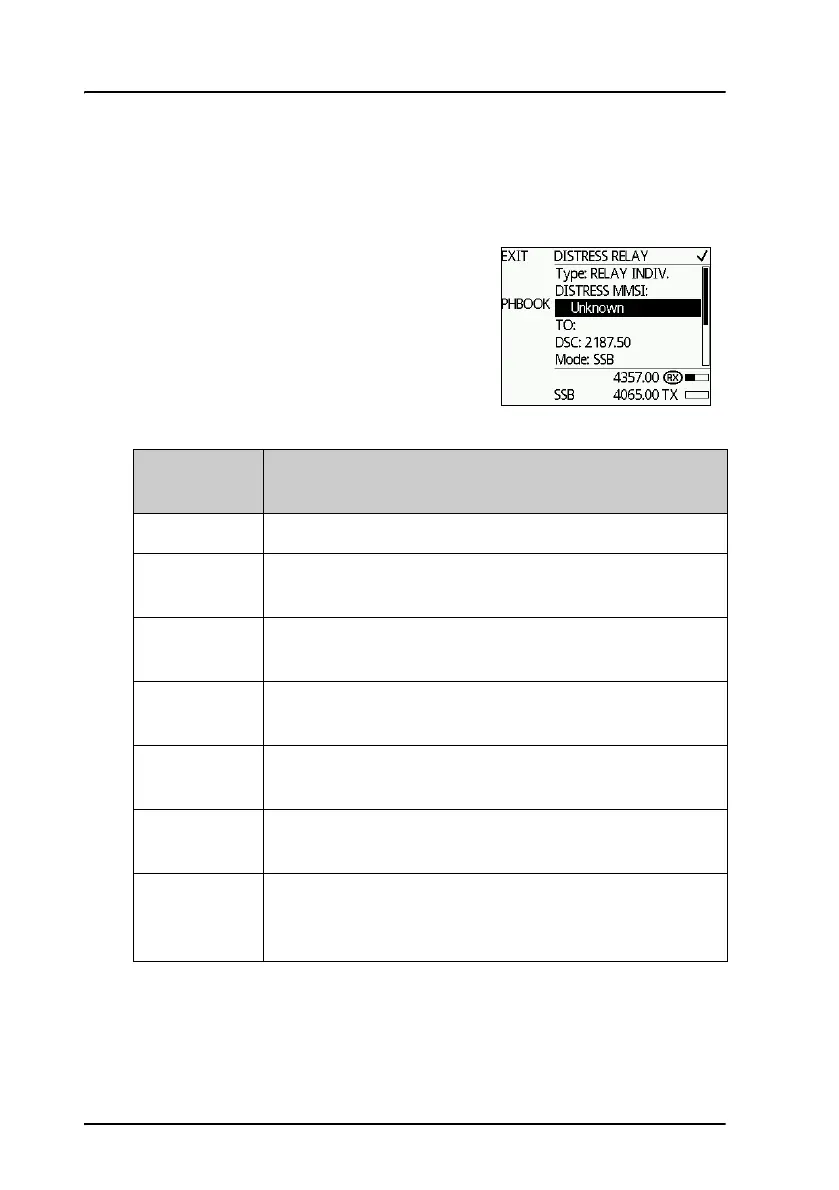
To send a Distress message on behalf of someone else, do as follows:
1. From top-level standby push the soft
key DROBOS.
2. Select one line at a time by pushing and
turning the selector knob.
3. Enter the necessary information using
the selector knob or the keypad:
4. Push the soft key SEND.
DROBOS
items
Description
TYPE: Select RELAY INDIV or RELAY AREA.
Distress
MMSI:
Enter the MMSI number of the vessel in Distress, if
known, or else “unknown”
TO: Enter the MMSI number of the coast station you are
relaying the Distress alert to.
DSC: Enter the DSC frequency pair, 6 are available, default:
2187.5 kHz.
Mode: Select the radio sub communication mode: SSB or Telex
FEC.
NAT: Select the nature of Distress, see ALERT — To send a
Distress alert with specified parameters on page 23.
LAT:
LON:
POS UTC:
Enter the position data.



 To Next Page