Chapter 2: Operation
28 DSC calls
Distress call log
As long as you are part of a Distress session, i.e. you have not pushed QUIT,
you receive Distress messages and can track all Distress messages for the
current Distress event.
1. Push the soft key LOG. If it is not in the display, push the soft key MORE
until LOG appears.
2. Push the soft key NEXT and PREV to browse the received Distress
messages.
3. Push the soft key EXIT to leave the log.
DSC calls
With a DSC call you can establish a radio communication with one or
several specific radios on a suggested pair of frequencies or channel.
To make a DSC call, do as follows:
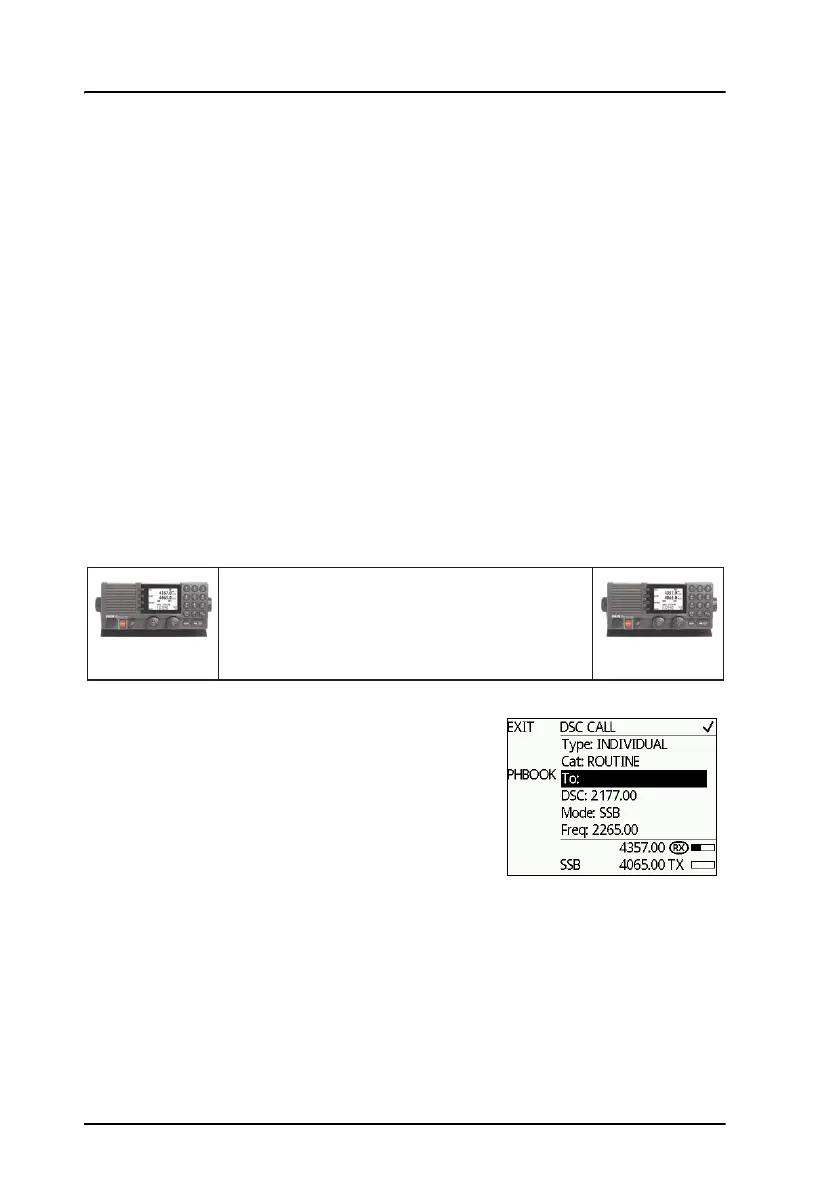
1. Push the soft key CALL. The default call
is an individual routine call.
2. Turn and push the selector knob to select
a call type. For each DSC call type a
number of parameters can be set.
1. Make a DSC call from Radio A to Radio B.
2. DSC acknowledge from Radio B to Radio A.
3. Radio A + B go on the agreed MF/HF channel.
4. Press PTT and start talking.
MF/HF Radio A
MF/HF Radio B



 To Next Page