Chapter 2: Operation
36 DSC calls
Receiving DSC calls
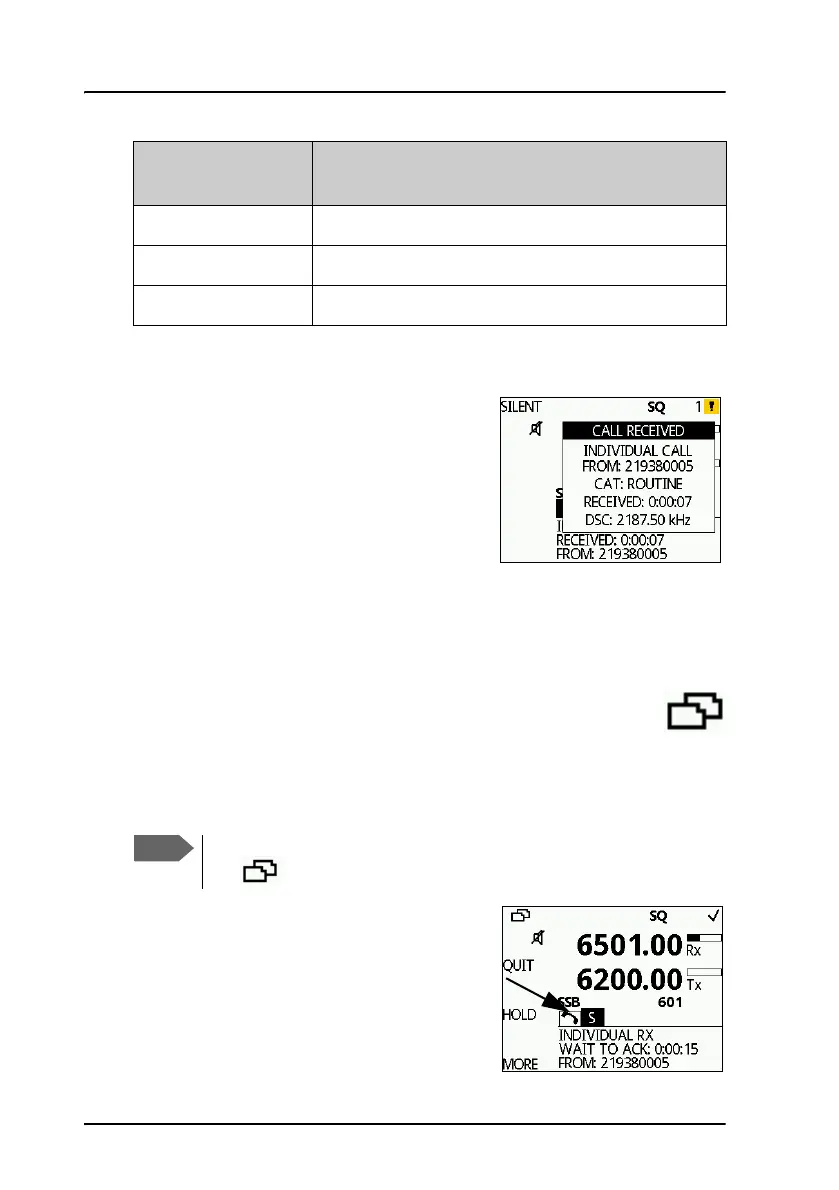
If the radio is in stand-by mode, i.e. not
engaged in another session, and a DSC call is
received the call details are shown on the
display.
Push the soft key SILENT to continue.
You can acknowledge the call, put it on hold
or display more information (soft key:
VIEW). If you put the call on hold, the session icon for this call will flash
until you have acknowledged the call. See also Display for a session on
page 31.
Handling multiple calls — DSC and voice
The SAILOR 6300 MF/HF DSC can control multiple DSC sessions
simultaneously including a voice communication session. All sessions keep
track of their session state and the communication channel used.
A call or session can be on hold (HOLD) or
active (ACTIVE). If there are several calls
ongoing, they are shown as tabs in the
display with their state (active, on hold,
requiring attention). The DSC sessions on
LAT Latitude position returned upon a position request
LON Longitude position of station in Distress
POS UTC Time of position
Details —other
calls
Explanation
Note that there is one active call or session at a time. Use the soft
key to switch between the ongoing calls/sessions.



 To Next Page