Chapter 2: Operation
46 Setup
DSC call logs
System setup
Print DSC
• ON: Automatic printing of DSC messages on a selected
network printer, accessible via LAN.
• OFF
DSC Self Test
• OFF: Disabled (default), no DSC self test.
•RUN: Run a DSC self test.
For further details about this test see DSC self test on
page 54.
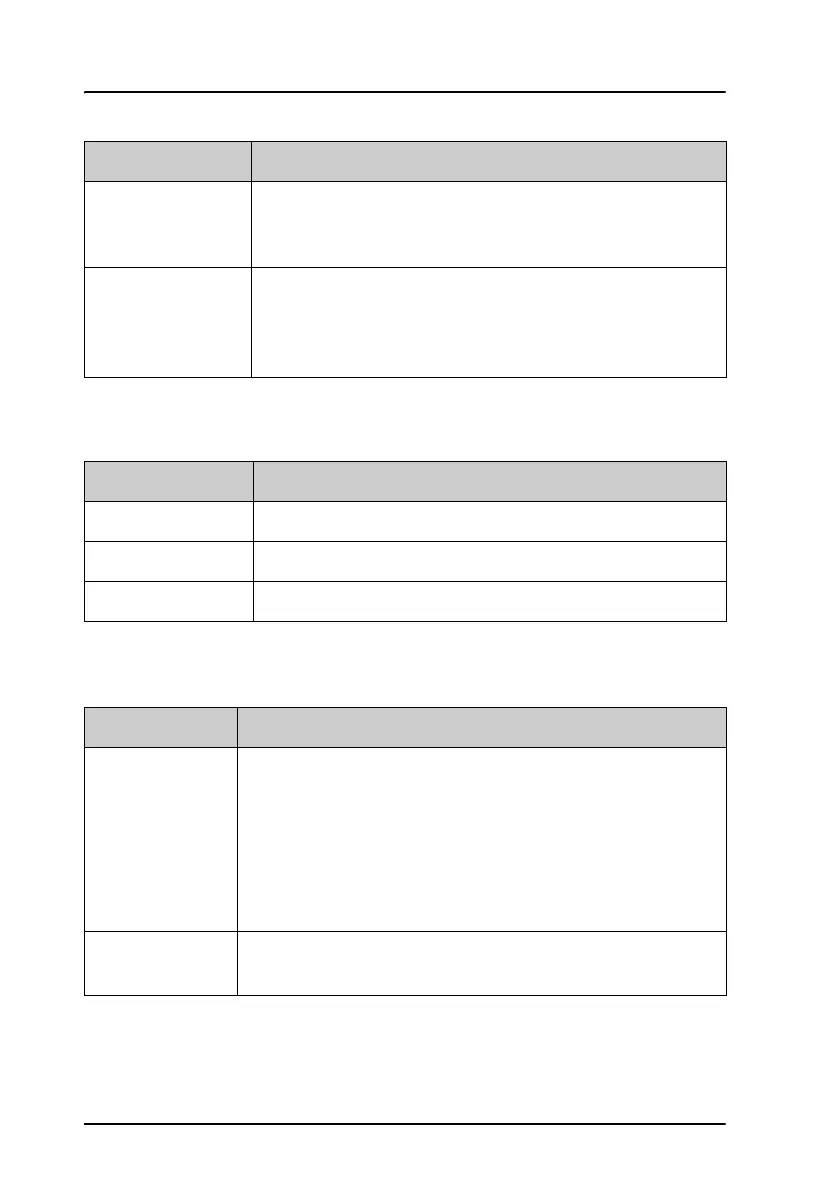
DSC call log Description
Received Distress Shows a log of up to 20 received Distress calls.
Transmitted Calls Shows a log of up to 20 transmitted calls.
Received Calls Shows a log of all received non Distress calls.
Item Description
Printer Config Select a printer (if one or several printers are part of the
system). For further information see Printing DSC calls on
page 30.
Recommended commercially available printer-servers:
— Trendnet TE100 P1U
— D-Link DPR-1020
— SAILOR 6004 Control Panel
System time &
Date
View and set system time and date.
Item Description



 To Next Page