Chapter 3: Service & maintenance
60 Alerts in the Bridge Alert Management (BAM) system
Alert acknowledgment
Active warnings must be acknowledged. When all active warnings are
acknowledged the icons stop flashing. To acknowledge an alert do as
follows:
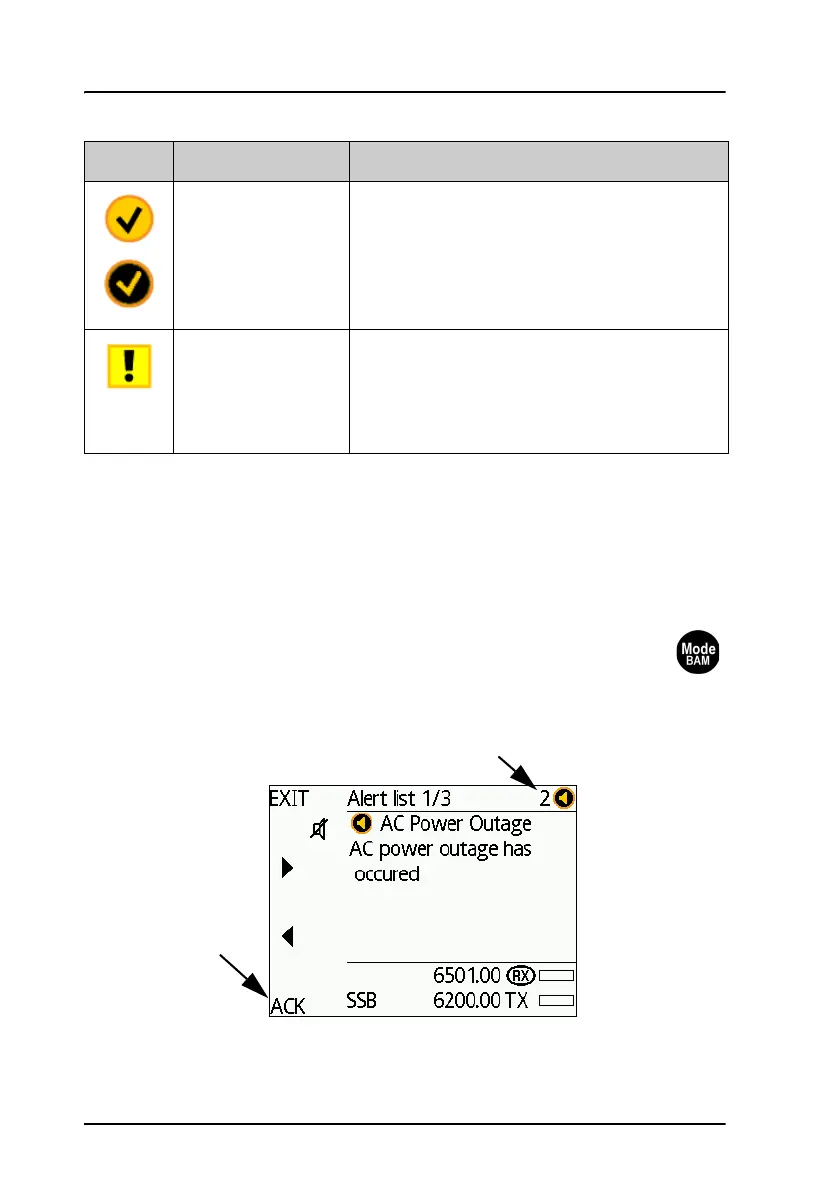
1. Push the Mode/BAM button on the Control Unit to display the
list with alerts.
The counter next to the alert icon counts down for every alert
you access.
Warning: Inactive
unacknowledged
alert, rectified
A flashing yellow circle with a tick mark in the
middle of the circle.
This icon is displayed when the warning
condition has been rectified but not yet
acknowledged.
Caution: Alert A yellow square with an exclamation mark in
the middle of the square.
A caution alert disappears automatically when
the caution situation is cleared.
Icon Name Icon description
Counter (number of
unread active alerts)
Acknowledge



 To Next Page