Maintenance
98-137261-F Chapter 3: Service & maintenance 23
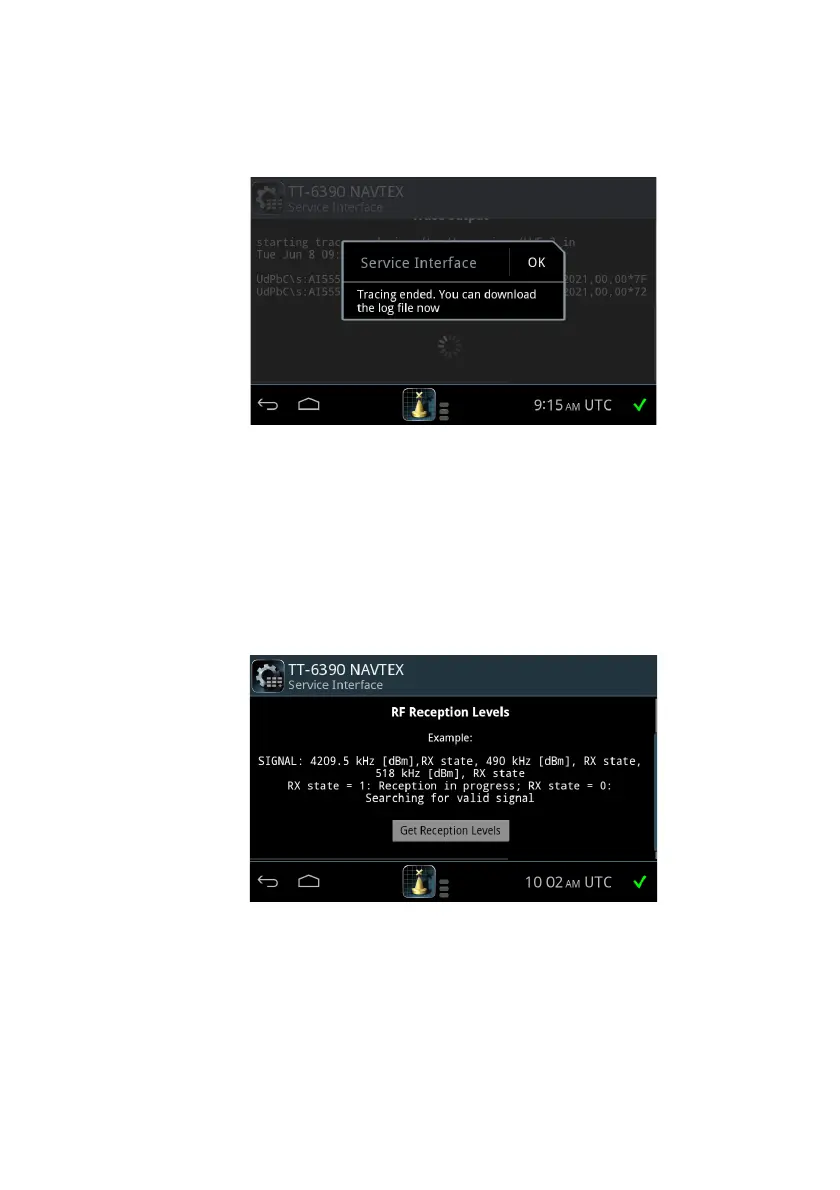
4. After ended tracing, you can download the NMEA trace log file to a USB
storage device connected to SAILOR 6004 Control Panel.
Checking RF Reception Levels
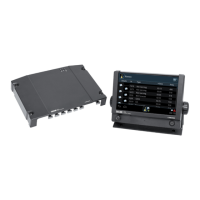
To check RF reception levels, do as follows:
1. Press Show MENU.
2. Click RF Reception Levels.
3. Click the button Get reception levels. RF levels are measured and sent to
the service interface.
Figure 22: Service Interface, NMEA trace download
Figure 23: Service Interface, RF reception levels


 To Next Page