Maintenance
26 Chapter 3: Service & maintenance 98-137261-F
Navtex DB Dump
1. Press Show MENU.
2. Click Navtex DB Dump.
3. Click the button Backup. A pop up window opens, follow the on-screen
instructions to open or save the file.
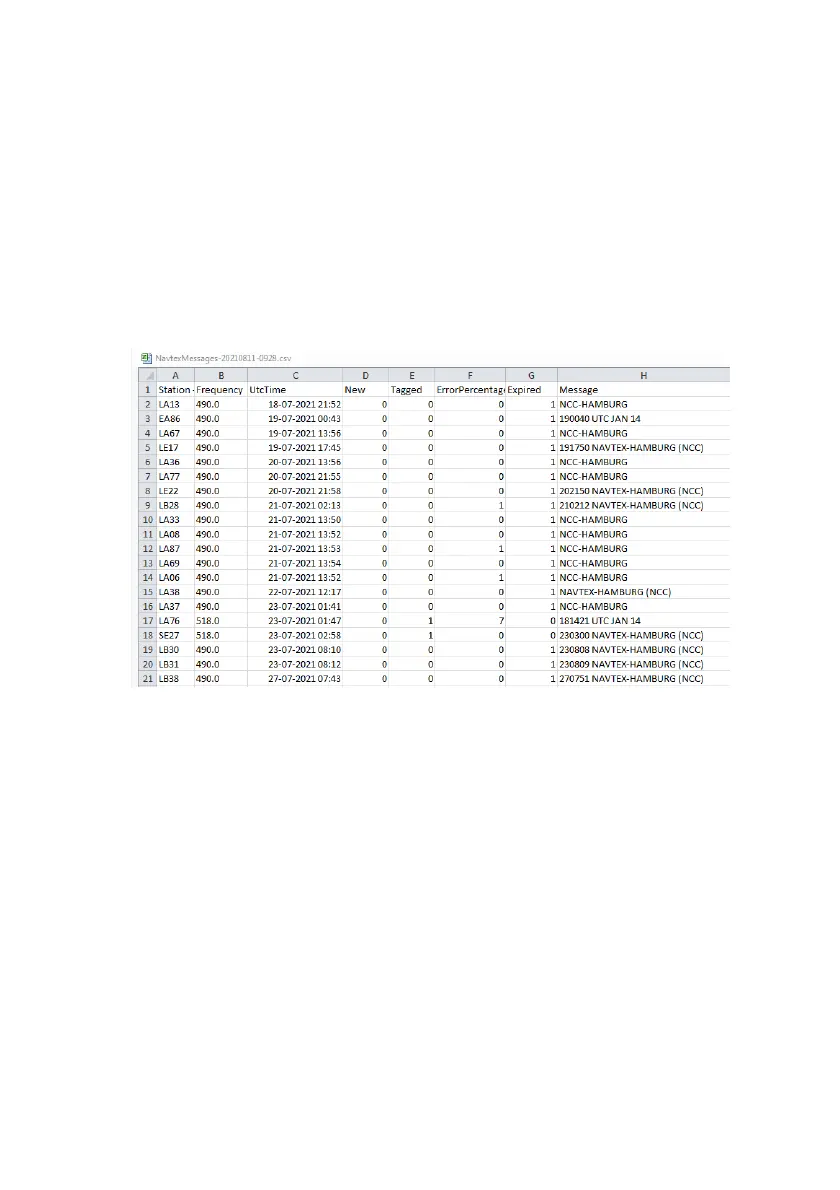
4. The messages are exported in a comma separated file.
5. The image below shows an example of a file with stored messages, the
output file is opened in Microsoft Excel®.
Figure 27: Excel file with stored Navtex messages


 To Next Page