Quick Start Operation Operation Manual Sea Tel TV & TVHD
1-1
1. Quick Start Operation
If your system has been set up correctly, and if the ship has not moved since the system was used last, the system should
automatically acquire the satellite from a cold (power-up) start. Once the satellite has been acquired, the modem then should
achieve lock and you should be able to use the system.
1.1. Turn Power ON
To apply power to the antenna system:
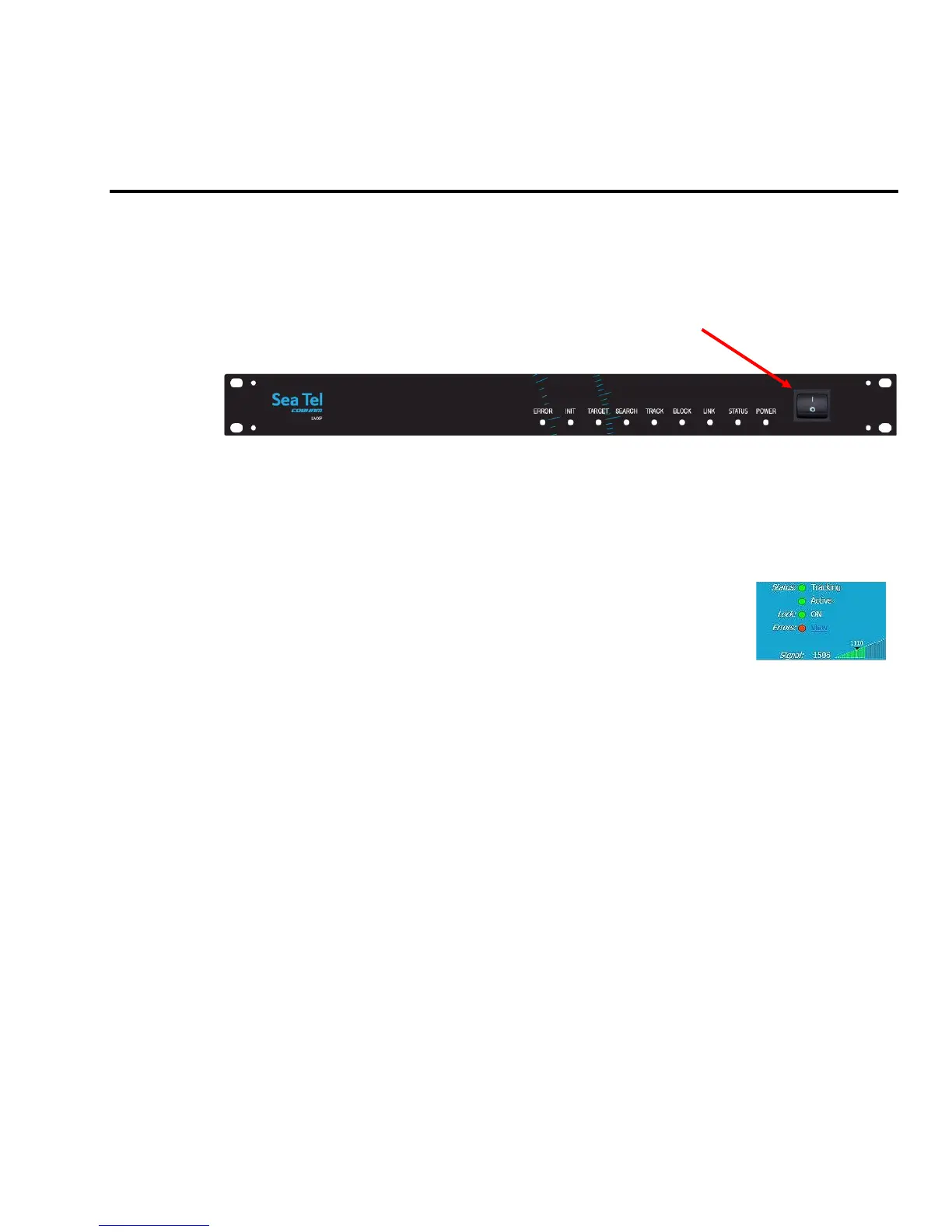
1. Energize the LMXP and the antenna pedestal by toggling the power switch on the front panel of the LMXP to
the ON position.
2. Energize all other below decks receivers, distribution and audio/video equipment.
3. The antenna system will power up, go through its initialization process and then automatically target the last
satellite that had been previously acquired.
1.2. If satellite signal is found AND network lock is achieved:
1. Tracking will take over (front panel Tracking LED will be ON) and automatically peak the antenna position for
highest receive signal level from the satellite.
2. When the system has signal above threshold AND modem has network lock the
antenna will continue to track the satellite.
3. Satellite Name (if entered), Tracking indicator, Modem Lock indicator and signal level
(number value and bar graph) will be displayed in the header of the LMXP GUI pages.
Upon completion of the above, the system will continue to operate automatically, indefinitely until:
• AC power to the system is interrupted OR
• The satellite signal is blocked OR
• The ship sails into an area of insufficient satellite signal strength/level.
1.3. If no signal is found:
If the system does NOT automatically find the satellite from a cold start, log into the LMXP and follow the steps below:
1. The Tracking LED, on the front panel of the LMXP, will flash for a short period of time (Search Delay) followed
by the Search LED coming ON.
2. The antenna will automatically be driven in a search pattern, attempting to relocate the desired satellite. The
bar graph on the upper right will display red bars while the signal value is less than the threshold value (red bar
in the bar graph).
3. Not finding a signal greater than Threshold, the bar graph will stay red and the antenna will reach the end of
the prescribed search pattern.
4. The antenna will retarget and then the cycle (steps 1-3) until the satellite is found, or the operator intervenes.
5. Log into the LMXP GUI.
6. Access the Configuration - Communication Interfaces page.
7. Find the Latitude, Longitude and Heading displayed values. If they are correct skip to step 10.
8. If the Latitude & Longitude values are not correct, enter the ships Latitude & Longitude position in those
fields.
9. If the Heading value is not correct, enter the correct value in the Heading field.
10. Select the Satellite Search – Auto page.






 To Next Page