User Login Pages – LMXP Operation Manual Sea Tel TV & TVHD
2-1
2. User Login Pages – LMXP
2.1. Login Page
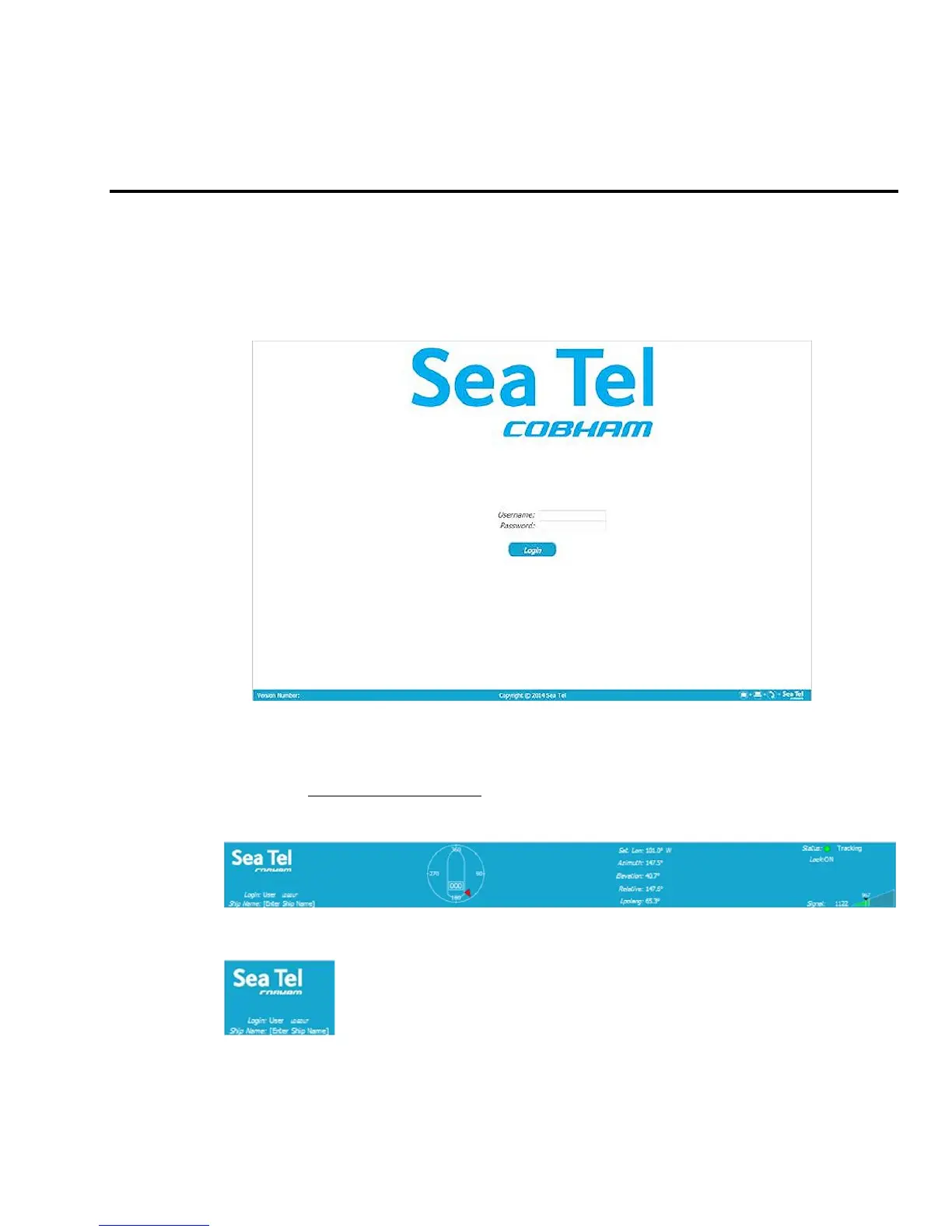
Log in to the LMXP from the computer. If the computer has not been set up for you by the dealer, refer to the
installation manual for instructions. When you access the LMXP you will first see the login screen:
Enter the Username (User) and Password (seatel1). Both of these are case sensitive.
2.2. Layout of the GUI Pages
2.2.1. Top Banner (All Pages)
The banner across the top of every page is the same. It contains much of the information you would want
about the system at a glance.
Sea Tel / Cobham – Our logo is presented in the Upper Left corner of the banner. The logo also doubles as a
link to the Cobham Satcom site. But mostly it provides branding.
Login information is in the Left middle – Login Level is displayed followed by LOGOUT.
Click on LOGOUT to log out of the GUI.
Ship Name is displayed on the left bottom. Ship Name is entered on the System
Configuration page (refer to 1.7.2 below).





 To Next Page