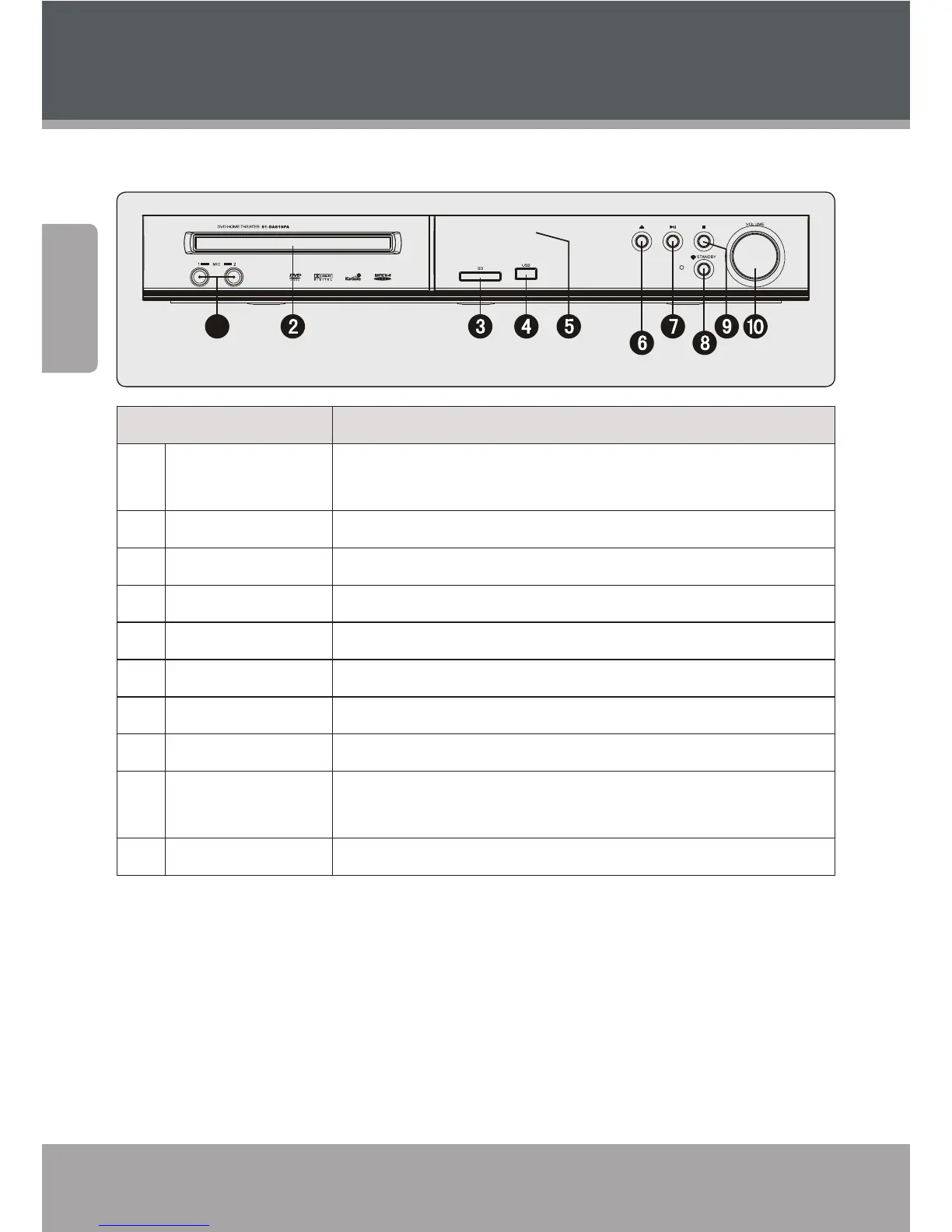
Name Description
1 Microphone Input
Jacks (1 and 2)
Connect external microphones (6.3mm plug) to enjoy Karaoke
CD+G discs.
2 Disc Tray Load optical discs in this compartment for playback (CD, DVD)
3 Card Slot Load SD memory cards here for playback
4 USB Port Load USB ash memory drives here for playback
5 Display Screen Displays convenient playback/status information
6 Open/Close Open or close the Disc Tray
7 Play/Pause Play, pause, or resume playback
8 Stop Stop playback
9 Power/Standby Turn the unit on or o (standby). The Main Power switch on the
rear panel must be set to the ON position.
10 Volume Knob Turn to adjust the volume level
DVD938 at a Glance



 To Next Page