- 7 -
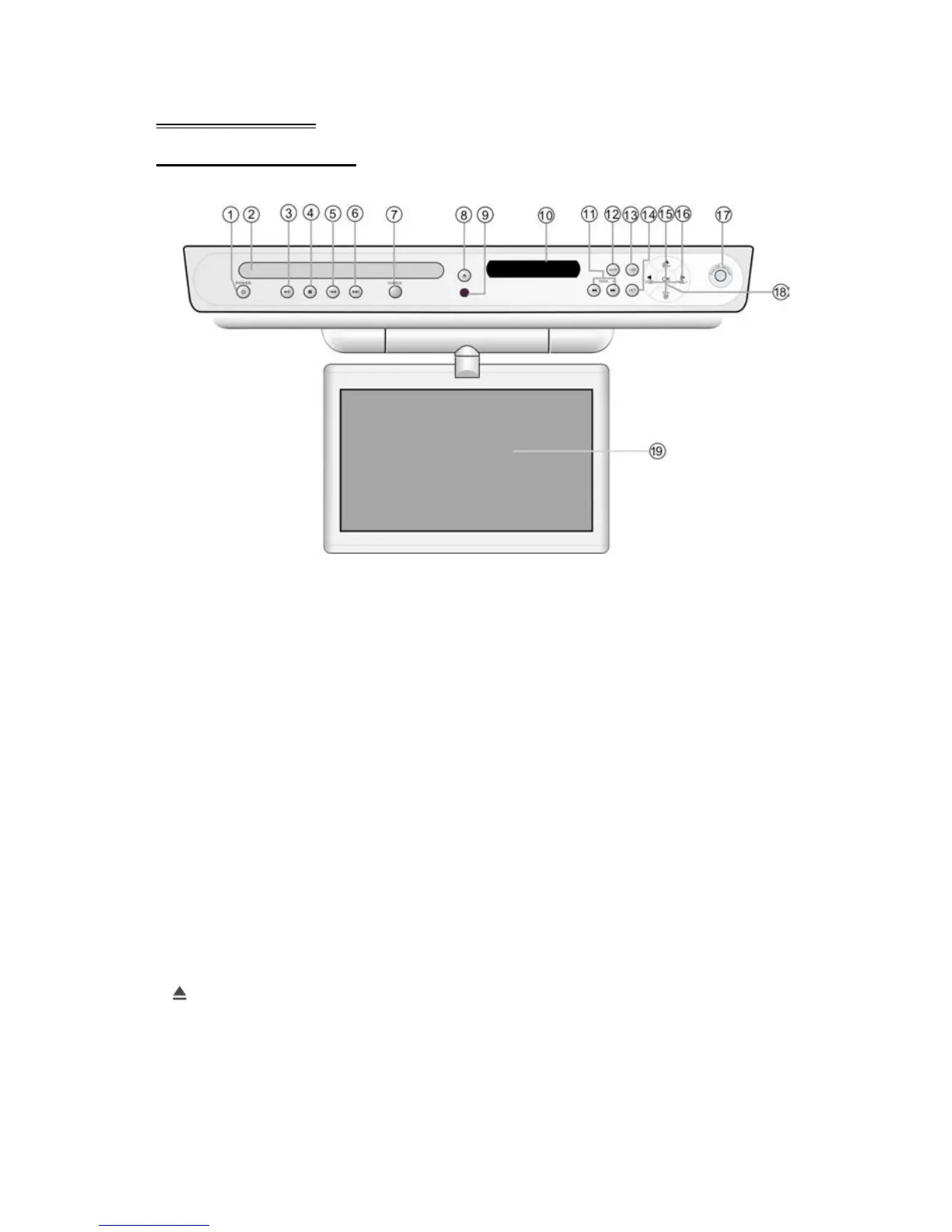
Front Panel
Front Panel Drawing
1. POWER button
Press to enter or exit the STANDBY mode.
2. Disc Tray
Used to load disc.
3. PLAY/PAUSE button
Press to start or pause playback in the DVD mode.
4. STOP button
Press to stop playback in the DVD mode.
5. CHAPTER - button
In the DVD mode, press once to go to beginning of the current track/chapter. Press
twice to go to the previous track/chapter during DVD disc playback.
6. CHAPTER + button
Press to go to the next track in the DVD mode.
7. SOURCE button
Press to switch the mode (DVD, TV, A/V, FM, AM).
8. EJECT button
Press to open or close the disc tray.



 To Next Page