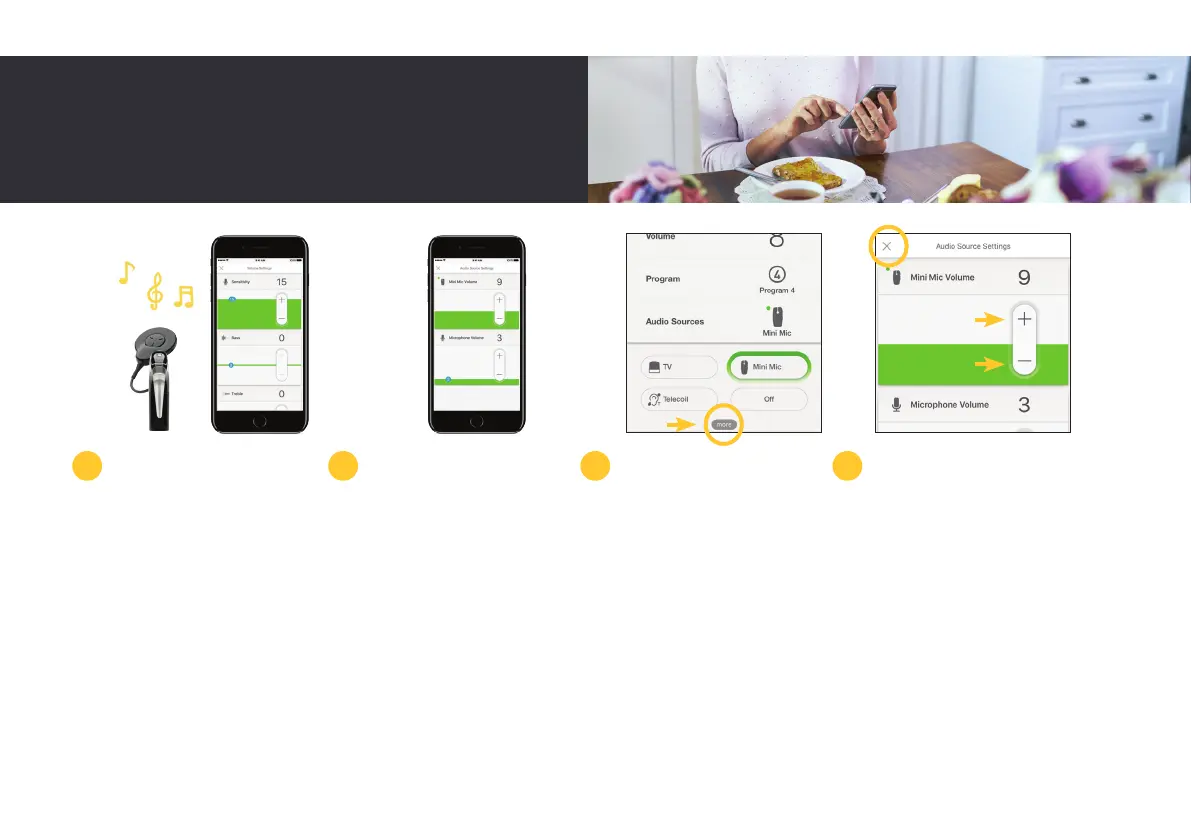
You should only adjust bass,
treble and master volume
limits while you can hear
sounds or speech.
The Nucleus Smart App also
allows you to separately
adjust the volume of
streamed audio from a
compatible Apple device
and sound from your sound
processor microphones.
When paired with
the Nucleus 7 Sound
Processor, audio sources will
automatically appear on
screen within the app.
To adjust audio source
settings, start streaming
from an audio source,
then tap ‘more’ to open
the Audio Source Settings
control panel.
Tap ‘plus’ or ‘minus’ to
change the settings. If you
hear too much background
noise, you can also adjust
the mixing ratio between
sound from a True Wireless
device and sound from
your sound processor
microphones.
Tap the ‘X’ in the top left of
the iPhone screen to close
the Audio Sources Settings.
4 5 6 7
21



 To Next Page