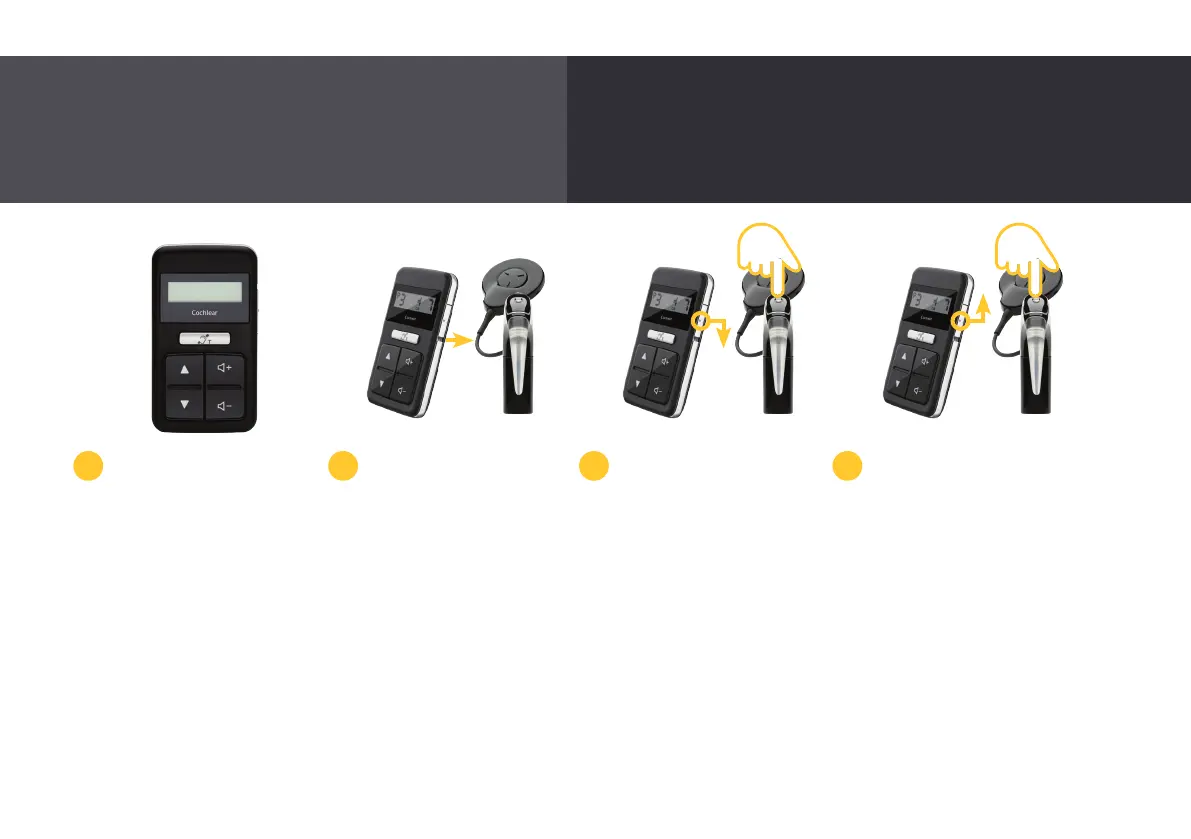
Pairing with the CR310
Remote Control
The Cochlear CR310
Remote Control allows
you to change programs,
turn volume or sensitivity
(if available) up and down,
control audio streaming
from True Wireless devices,
and turn telecoil on and off.
Before you can use your
remote control for the first
time it must be paired
with your Nucleus 7 Sound
Processor.
To pair your processor with
your remote control, first
turn off your processor and
remote control.
Turn back on your processor
and remote control. They
must both be ‘awake’ and
on at all times while pairing.
2 3 41
Quickly and easily adjust your Nucleus 7 Sound
Processor from the handheld CR310 Remote Control.
22



 To Next Page