Pairing with the Cochlear
Wireless Phone Clip
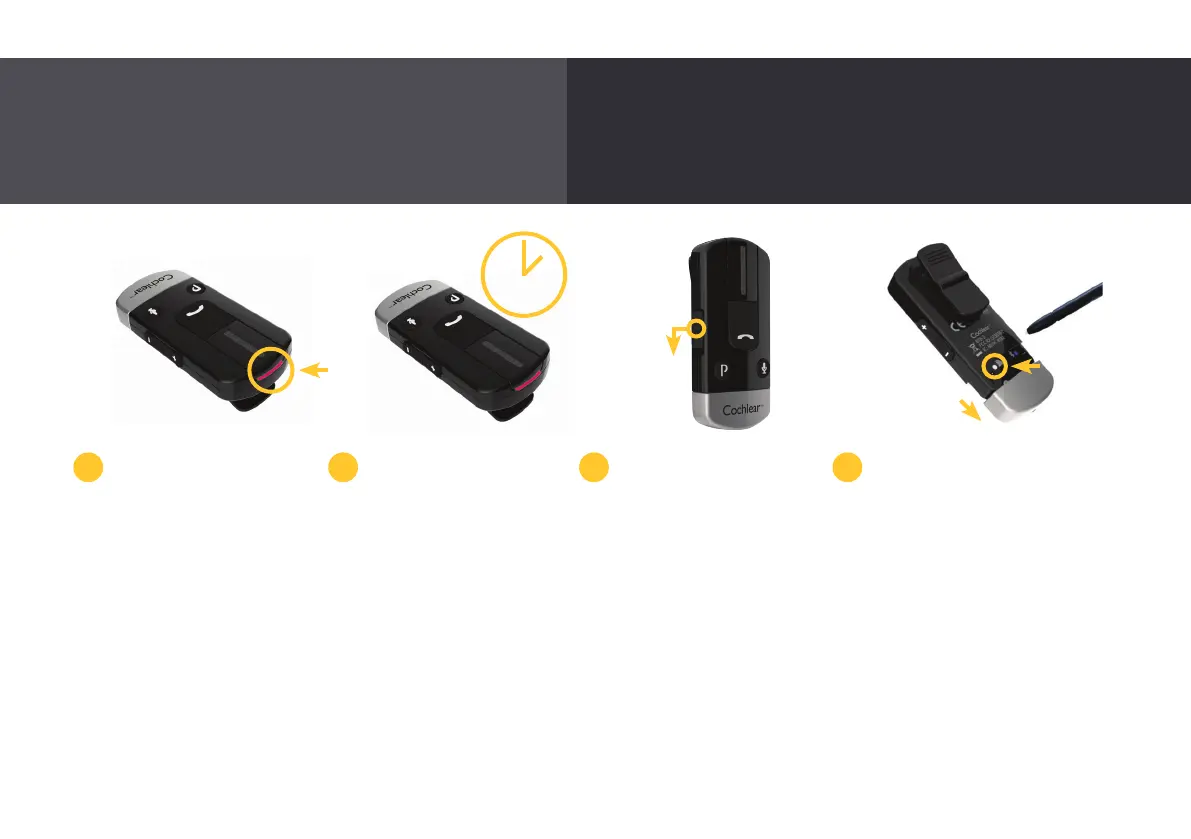
While charging, the LED on
top of the Phone Clip is red.
When fully charged, it is
green with red flashes every
two seconds.
Before using your Phone
Clip for the first time, make
sure it has been charged for
at least three hours, even
if the light indicates a full
charge.
To pair your Phone Clip
with your Nucleus 7 Sound
Processor, remove and turn
off your sound processor.
Then, switch on your Phone
Clip by sliding down the on/
off button.
Remove the Phone Clip’s
silver cap and use the tip
of a pen, or similar object,
to press the white pairing
button on the back.
The Phone Clip LED will
flash yellow every two
seconds, indicating that it
is in pairing mode for 20
seconds. During these 20
seconds, switch on your
sound processor.
2 3 41
Enjoy hands-free calling, hear your Bluetooth-enabled
navigation system and stream music directly to your
sound processor.
3 hrs
26



 To Next Page