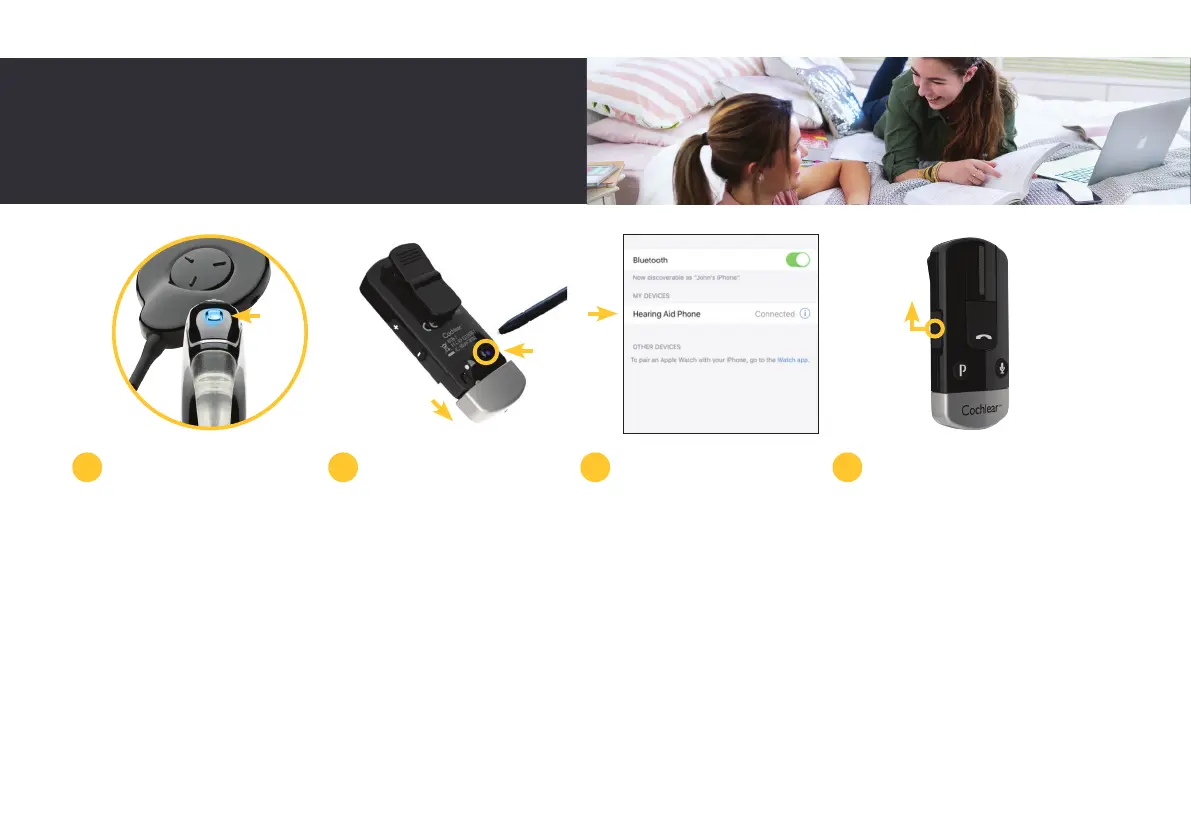
Your sound processor will
briefly flash a blue indicator
light to tell you it has
successfully paired with
your Phone Clip.
To pair your Phone Clip to
your mobile phone, make
sure that your phone’s
Bluetooth function is
switched on.
Remove the Phone Clip’s
silver cap and press the
pairing button on the back
once to activate pairing
mode for two minutes.
During pairing mode the
LED will turn blue.
On your compatible
iPhone
®
, open ‘Settings’
then Bluetooth, search for
new Bluetooth devices and
select ‘Hearing Aid Phone’
from the list. If your phone
asks for a passcode, enter
four zeros.
Your Phone Clip should now
be paired with your mobile
phone. If your mobile
phone asks which Bluetooth
service you wish to enable,
select ‘Headset’.
To stream audio, simply
turn on your Phone Clip.
When audio starts playing
from your Bluetooth-
enabled device, it will
automatically stream to
your sound processor.
5 6 7 8
27



 To Next Page