EasyManua.ls Logo

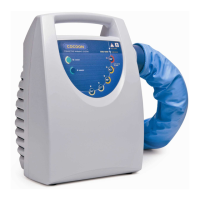
Cocoon CWS 4000 - Troubleshooting; Warming Blanket Will Not Inflate; Standby Indicator Will Not Light; Equipment Repairs

Cocoon CWS 4000
26 pages
Print Icon
To Next Page IconTo Next Page
To Previous Page IconTo Previous Page
Loading...
Care
Essentials
CWS4000
Cocoon
Warming
System
Service
Manual
5.
TROUBLESHOOTING
5.1.
Warming
Blanket
Will
Not
Inflate
e
Make
sure
the
CWS4000
is
plugged
in
to
an
energized
mains
power
socket-outlet.
e
Check
both
ends
of
the
delivery
hose
for
proper
connection.
e
Check
the
delivery
hose
and
warming
blanket
inlet
for
kinks.
e
Check
that
there
are
no
obstructions
to
the
air
inlet
slots.
e
Check
the
warming
blanket
for
damage.
If
air
is
flowing
from
the
hose,
try
another
warming
blanket.
Small
rips
or
tears
in
the
warming
blanket
may
be
temporarily
repaired
with
adhesive
tape.
e
Request
qualified
service
personne!
check
for
a
clogged
or
dirty
filter.
e
Check
for
fault
alarm.
5.2.
Standby
Indicator
Will
Not
Light
e
Extremely
high
storage
temperatures
(such
as
those
found
motor
cars
on
hot
summer
days)
can
cause
the
temperature
limit
thermostats
in
the
CWS4000
to
actuate.
Should
this
occur,
the
STANDBY
indicator
will
fail
to
light
when
the
CWS4000
is
connected
to
mains
power.
If
this
occurs,
simply
wait
for
the
CWS4000
to
cool
down
and
eventually
the
thermostats
will
automatically
reset
and
the
STANDBY
indicator
will
light.
e
Request
qualified
service
personnel
check
for
blown
mains
power
fuses.
5.3.
Equipment
Repairs
Repairs
to
the
CWS4000
should
be
preformed
by
qualified
personnel
such
as
certified
biomedical
electronics
technicians
or
clinical
engineers
familiar
with
repair
practices
for
servicing
medical
devices,
and
in
accordance
with
the
CWS4000
Service
Manual.
Damage
to
the
CWS4000
or
malfunction
may
otherwise
result.
6.
SCHEMATIC
DIAGRAM
DESCRIPTION
This
section
describes
the
CWS4000
schematic
diagrams.
Reference
should
be
made
to
the
printed
circuit
board
(PCB)
component
legend
contained
in
Section
7
and
the
schematic
diagrams
contained
in
Section
8
below.
The
following
should
assist
with
the
interpretation
of
the
Schematic
Diagrams:
e
The
schematic
diagrams
are
organised
in
a
flat
structure.
e
Electrical
connectivity
is
shown
by
continuous
wires
or
net
labels
on
partial
wires.
e
Netlabels
(signal
names)
are
prefixed
with
a
forward
slash
when
they
are
asserted
with
logic
“0”
(eg:
/SIGNAL).
The
CWS4000
Control
Board
implements
the
following
functions:
e
Microcontroller.
»
RS232
transceiver
(Control
Board
revision
E
and
later).
ο
Microcontroller
reset
circuit.
e
Fan
control.
e
Heater
control.
Revision
|
13
June
2006
Page
13

Other manuals for Cocoon CWS 4000

Related product manuals