14
1300 663 907
Model Number
HE17064
customercare@win
lus.com.au
After Sales Support
MY FIRST FLIGHT
• We recommend operating the drone in a large outdoor space such as a field to
ensure you are familiar with all controls
• Always use the provided propeller guards and ensure that you have plenty of open
space to practice
• Never fly the Skyview HD Quadcopter on windy days
• Always keep the Skyview HD Quadcopter in direct line of sight
• Practice unlocking and locking the flight controls to get a feel for take-off and
potentially emergency landing
• To land, hold the throttle down until the blades slow and COMPLETELY stop. You
may need to slightly correct the direction while the Skyview HD Quadcopter adjusts
to the correct altitude
• Do not fly more than 5m high until you are confident you can control the Skyview
HD Quadcopter
• It is your responsibility to abide by local laws and regulations. Always keep up to
date on any changes. Never fly within 30m of people, 5.5km of airports or above
120m
WARNING: Incorrect operation of the Skyview HD Quadcopter may result in severe injury, loss of property
or fines. Winplus Australasia does not take any responsibility if local rules and regulations are not followed.
Loss of the Skyview HD Quadcopter is NOT covered by warranty
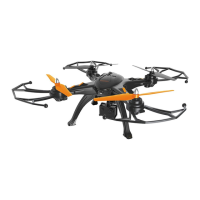
TIP: The best way to know which direction the Skyview HD Quadcopter is facing, is by the coloured LEDs on
its base. The green lights will face forwards, while the blue lights face backwards


 To Next Page