15
1300 663 907
Model Number
HE17064
customercare@win
lus.com.au
After Sales Support
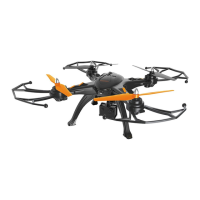
FLYING THE SKYVIEW
4.1 First Flight and Auto Hover
a. After unlocking flight controls, push the left throttle up to increase the altitude to
approximately 5m
b. Release the throttle and the Skyview HD Quadcopter will hover at this height
c. Use the left throttle to turn left or right as needed
d. Use the right throttle to move left, right, forwards and backwards
e. Use the forwards / backwards / left / right trim controls to fine tune hovering
IMPORTANT NOTE: If you find your drone is veering in a certain direction, you will need to manually trim
the drone during flight to keep the drone steady. For more information on this function see page 17
4.2 Landing the Skyview HD Quadcopter
a. Push and hold the left throttle down to lower the Skyview HD Quadcopter to
ground level
b. Continue holding the throttle down making slight corrections as needed until the
propellers slow and eventually stop
c. Turn off the remote control and power off the Skyview HD Quadcopter
IMPORTANT NOTE: If the both the blue and green LEDs begin flashing while you are flying your Skyview HD
Quadcopter, this indicates the battery is running low. Land immediately on a level surface


 To Next Page