CONTENTS
Warranty Details 3
Safety Instructions 4
Rules & Regulations 5
Warranty Note 6
Battery Note 6
Parts List 8
Technical Specifications 8
Features 8
Product Overview 9
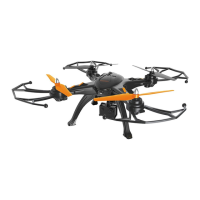
1.1 Cocoon Skyview HD Quadcopter 9
1.2 Remote Control 10
Installation 11
2.1 Installing the Control Batteries 11
2.2 Charging the Cocoon Skyview HD Quadcopter Battery 11
2.3 Installing the Landing Skids 11
2.4 Installing the Propeller Guards 11
2.5 Installing the Camera (optional) 12
2.6 Insert the Rechargeable Battery into the Skyview HD Quadcopter 12
2.7 Installing & Replacing the Propellers 13
Operation 13
3.1 Pairing the Skyview HD Quadcopter to the Remote Control 13
3.2 Unlocking Flight Controls 13
My First Flight 14
Flying The Skyview 15
4.1 First Flight and Auto Hover 15
4.2 Landing the Skyview HD Quadcopter 15
4.3 Flight Controls 16
Other Functions 17
5.1 Auto Trim Function 17
5.2 Speed Selection 17
5.3 One-Key Take Off/Land Function 17
5.4 Headless Mode 17
Taking Photos & Videos 19
6.1 Taking a Photo 19
6.2 Recording a Video 19
6.3 Downloading Photos and Videos onto your PC 19
6.4 Mounting your Action Camera onto the Skyview HD Quadcopter 19
FAQs 20
Disposal 21
Maintenance and Storage 21
Repair and Refurbished Goods or Parts Notice 22


 To Next Page