Need help?
Do you have a question about the Code Victory 3 and is the answer not in the manual?
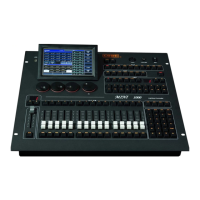
Details the front panel interface, controls, touch screen, and key sections.
Description of the rear panel connectors, ports, and power input.
Step-by-step guide to clearing all controller data.
Procedures for backing up show files to internal RAM or USB.
How to load previously saved backup files onto the controller.
Options for deleting and renaming backup files.
Guide to assigning DMX addresses and patching dimmers and intelligent fixtures.
Efficiently patching multiple fixtures of the same type.
Process for removing patched fixtures from the system.
Changing DMX addresses or lines for already patched fixtures.
Interrogating, patching, and remotely configuring RDM fixtures.
Adjusting parameters like Pan/Tilt swap, invert, and offsets for fixtures.
Arranging fixtures visually on the screen for easier control.
Methods for selecting fixtures for operation and control.
Direct manipulation of fixture attributes using controls.
Creating and managing fixture groups for simplified selection.
Saving fixture attributes and states as presets.
Renaming, updating, and managing saved presets.
Recalling and applying saved presets to control fixtures.
Explanation of the effect generator's functionality.
Applying and selecting various shape effects.
Customizing effect attributes like size, speed, and direction.
Creating, saving, and managing custom user-defined effects.
Overview of different playback types and modes.
Accessing playback details and settings.
Saving and running individual cues with various modes.
Creating, editing, and managing cue-list sequences.
Activating and controlling playbacks during a show.
Setting global and individual times for fade-in/out.
Configuring priority, link modes, chase, and flash settings.
Turning off effects, fixtures, and releasing playbacks.
Copying and merging data like groups, presets, and playbacks.
Removing data such as fixtures, presets, and playbacks.
Relocating groups, presets, or playbacks to different positions.
Securing the controller with a password to prevent unauthorized access.
Renaming groups, fixtures, and presets for better understanding.
Using the internal music player for macro show synchronization.
Recording macro shows using time codes or internal music.
Modifying saved macro shows by adding or deleting operations.
Setting up console modes, quick palette, and backlight options.
Managing firmware, fixture libraries, and system upgrades.
Configuring network settings, IP addresses, and protocols.
Comprehensive list of the controller's technical features and capabilities.
 Display
| screen size | 15 inches |
|---|---|
| screen type | capacitive LCD touch screen |
 Power
Power| power supply voltage | AC100-240V |
|---|---|
| power supply frequency | 50-60Hz |
 Weight and Dimensions
| size | 665mm × 580mm × 205mm |
|---|---|
| net weight | 15 Kg |


 To Next Page