Technical Manual Page 11 CODEL
DDU
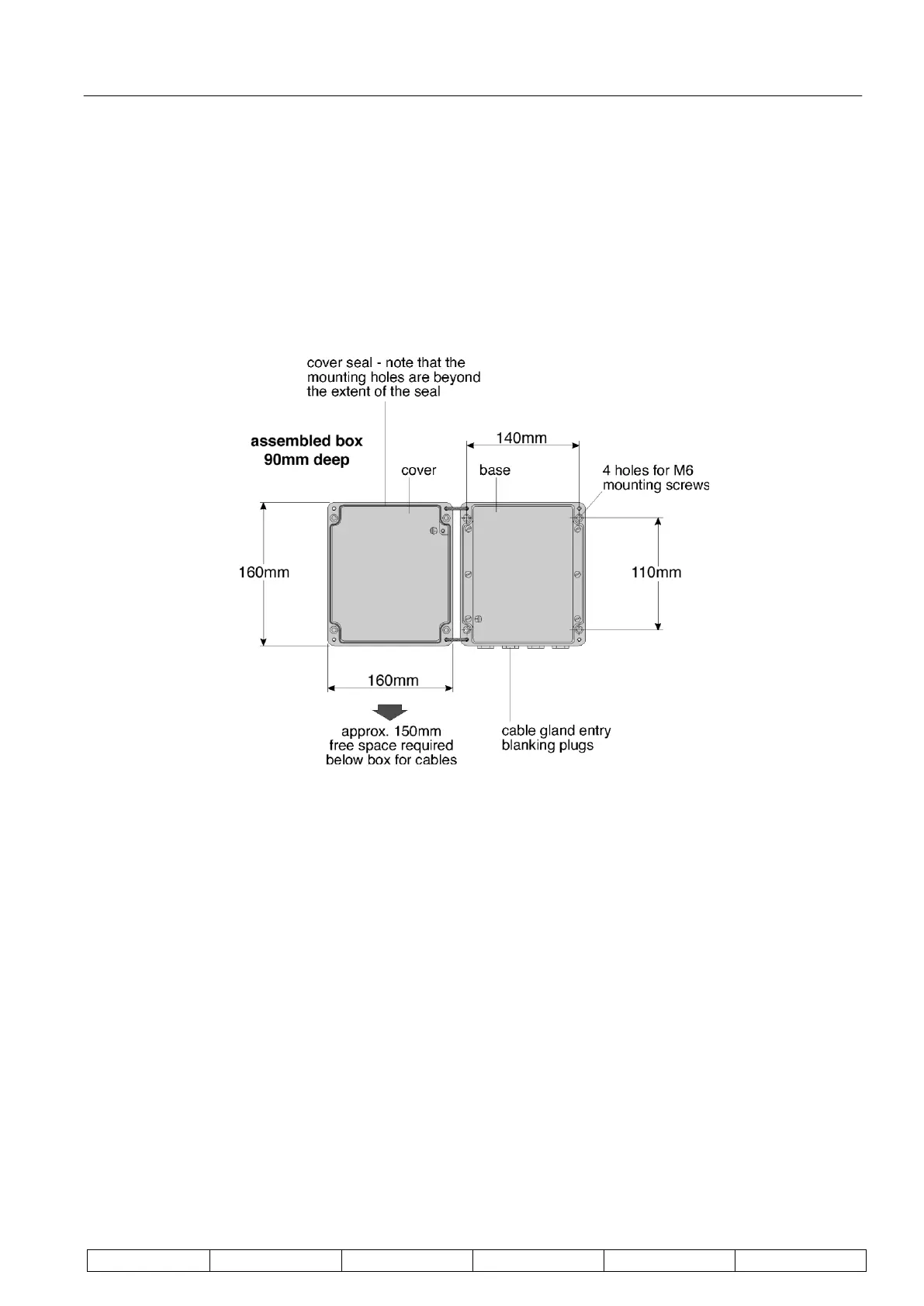
To mount the DDU first remove the cover by loosening the four captive screws and unplug the ribbon cable from
at the lid connection. The case is then secured to a firm support by use of the four mounting holes, one in each
corner of the case. Since the mounting holes are located outside the seal of the case it is not necessary to seal
the mounting holes after installation, nor is it necessary to remove the circuitry from the case for installation.
If commissioning is not to be carried out immediately reattach the lid to the processor.
Dimensions and mounting details are shown in Figure 5.
Figure 5 : DDU Mounting Details


 To Next Page