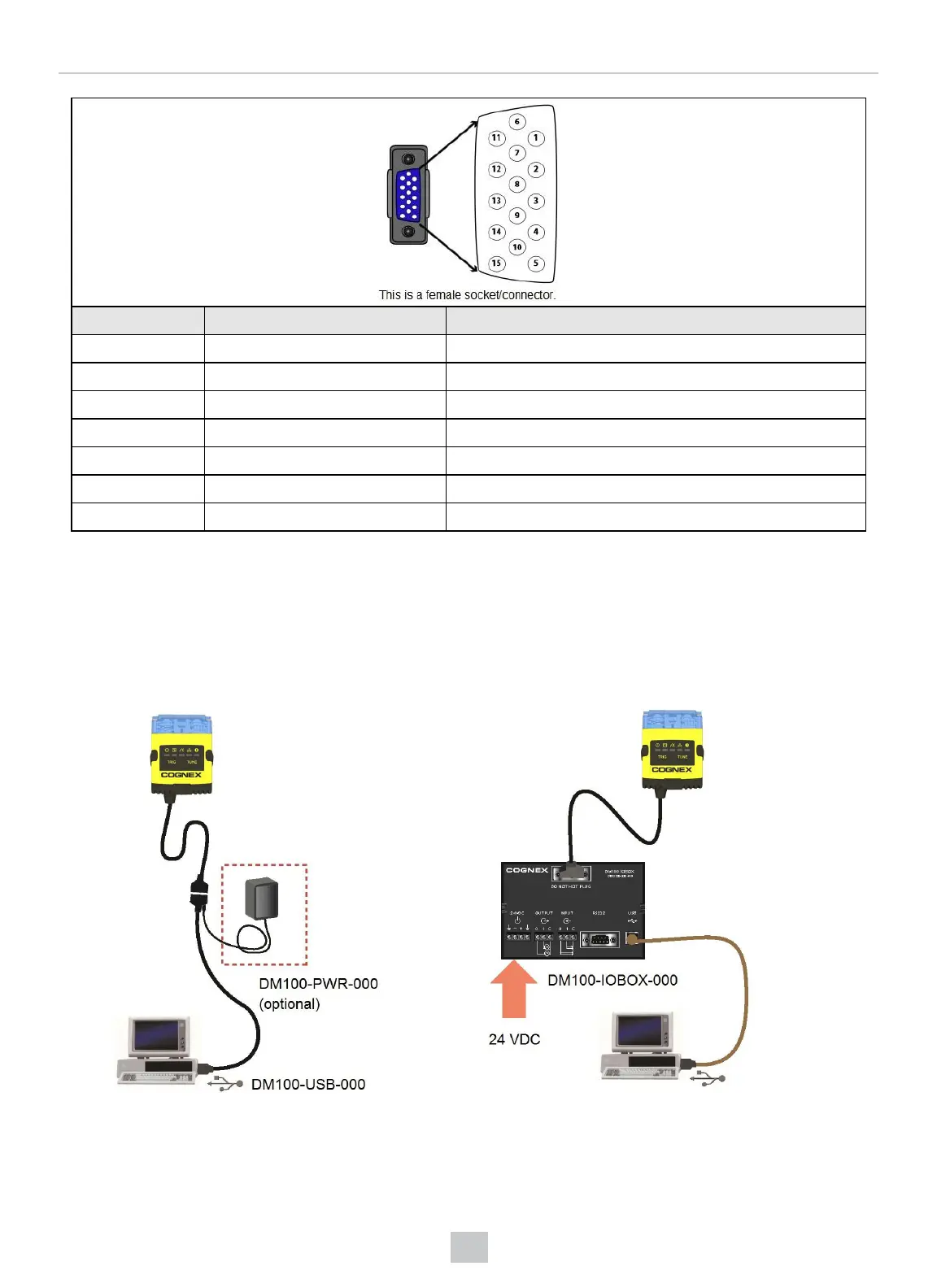
PIN Color Signal
7 Blue/White Output-0
8 White Input-0
9 White/Black Input-1
10 Light Blue CTS
11 Light Blue/Black Output-1
12 Light Blue/Yellow Output-Common
13 Light Blue/Green Input-Common
USB Connections
When connected to a PC over USB, the DataMan 150 appears as a COM port.
You can connect your device to the computer in the following ways:
Connect directly to the PC: Connect to the PC through a basic I/O module:
If the reader is configured as an HID device and you want to return to USB serial, scan the USBserial connection code:
37








 To Next Page