Using Your DataMan 150
This section provides general information about the installation process of the DataMan Setup Tool, triggering, and
reader training.
Installing the DataMan Software
Perform the following steps to install the DataMan Setup Tool:
1. Check the DataMan Release Notes for a full list of system requirements.
2. Download the DataMan Setup Tool from http://www.cognex.com/support/dataman and follow the on-screen
steps.
3. Connect the DataMan 150 to your PC.
4. Choose Start > Programs > Cognex > DataMan Software vx.x.x > Setup Tool to launch the DataMan Setup
Tool. Detected readers will appear under COM ports.
5. Click Refresh to update the list of connected devices.
6. Select the device from the Network list (Discovered Devices) and click Connect.
Setting the Focus Position
DataMan 150 can operate in one of three distance ranges. Follow the steps below to set the focus position.
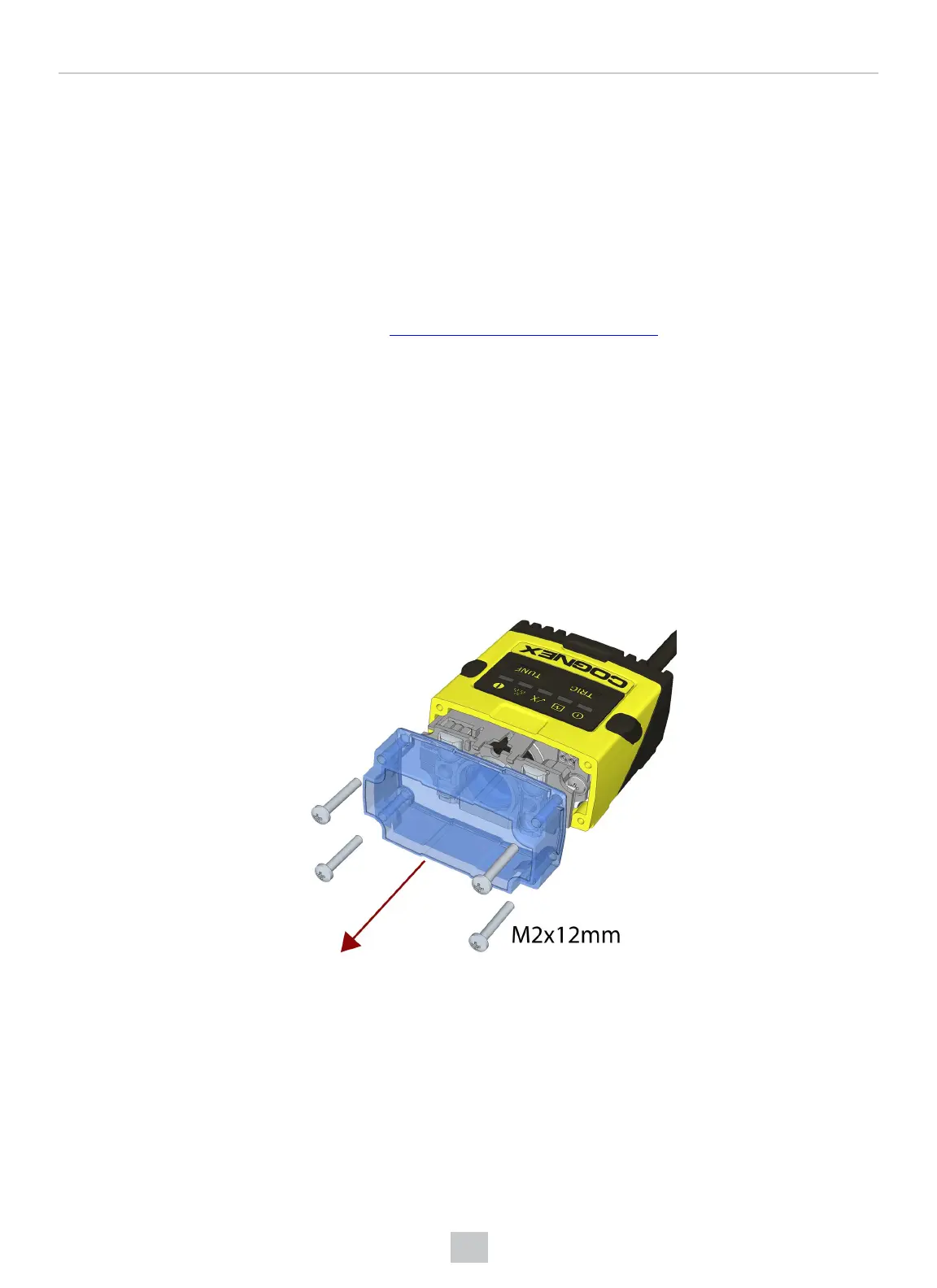
1. Remove the screws and the front cover.
46
Using Your DataMan 150








 To Next Page