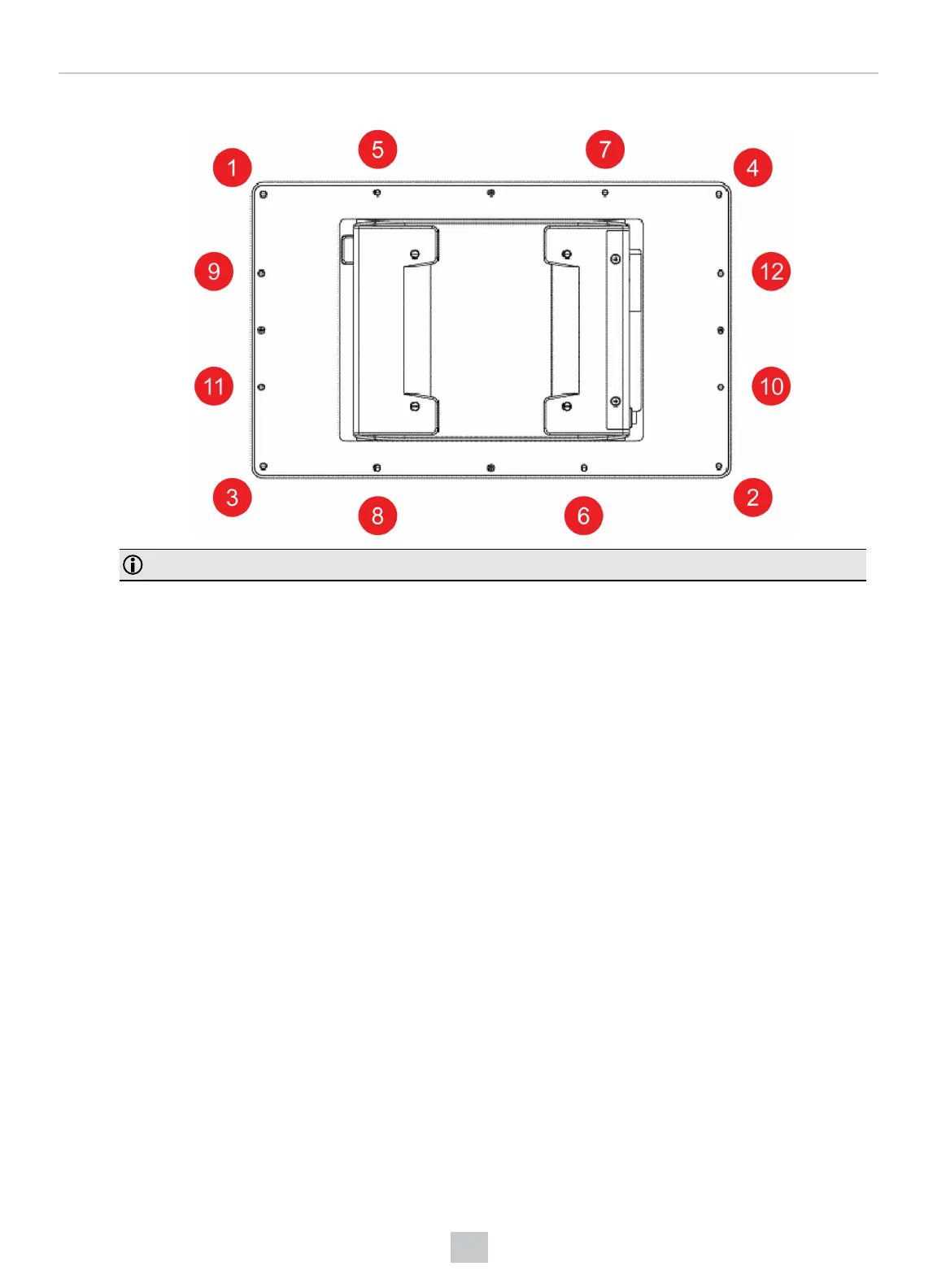
6. Finish tightening the screws using an M3 screwdriver. Observe the tightening sequence shown below:
Note: The maximum torque is 1.18 Nm.
Connecting the VisionView Web
To use the VisionView Web HDMI:
1. Plug in the power cable.
2. Connect to the network using an Ethernet cable.
3. Connect to an external display using an HDMI cable.
To use the VisionView Web Panel:
1. Plug in the power cable.
2. Connect to the network using an Ethernet cable.
Once your VisionView Web device is powered and connected, turn on the device to access the VisionView Web application.
18
Getting Started



 To Next Page