Mounting Options
You can purchase the following components separately. For a list of options and accessories, contact your local Cognex
sales representative.
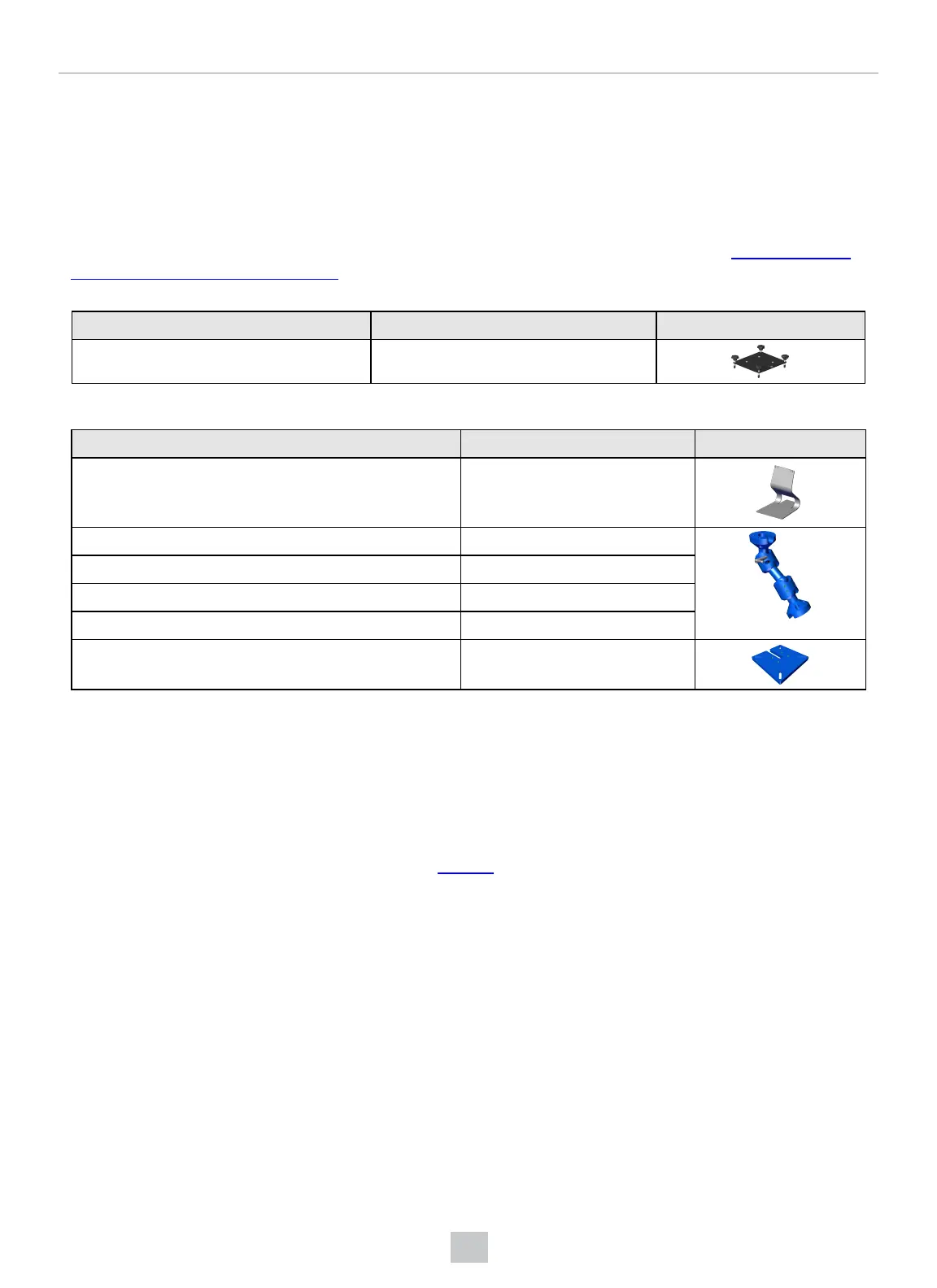
Mounting Options for VisionView Web Panel
You can install the VisionView Web Panel in an electrical panel to retain IP65 environmental rating. See Mount VisionView
Web Panel to Custom Bracket on page16 for instructions on how to properly mount the device. Use the optional FastMount
bracket to speed up this process.
Accessory Product Number Illustration
FastMount bracket 820-20907-001
You can also use general mounting solutions, which lower the environmental rating below IP65.
Accessory Product Number Illustration
Table top stand 820-0272-1R
2-inch swivel link single arm kit CSL-AFSB-1002
4-inch swivel link single arm kit CSL-AFSB-1004
6-inch swivel link single arm kit CSL-AFSB-1006
8-inch swivel link single arm kit CSL-AFSB-1008
Swivel link mounting plate CSL-AFSB-9
Installation
This section describes the installation process.
Mounting
To mount the VisionView Web HDMI, you can, for example, attach it to the back of your monitor or use a VESA-compliant
solution. For more information on VESA-compliance, see vesa.org.
To mount the VisionView Web Panel, use one of the following procedures depending on your preferred mounting option.
10
Getting Started



 To Next Page