VisionView Web User Interface
Devices
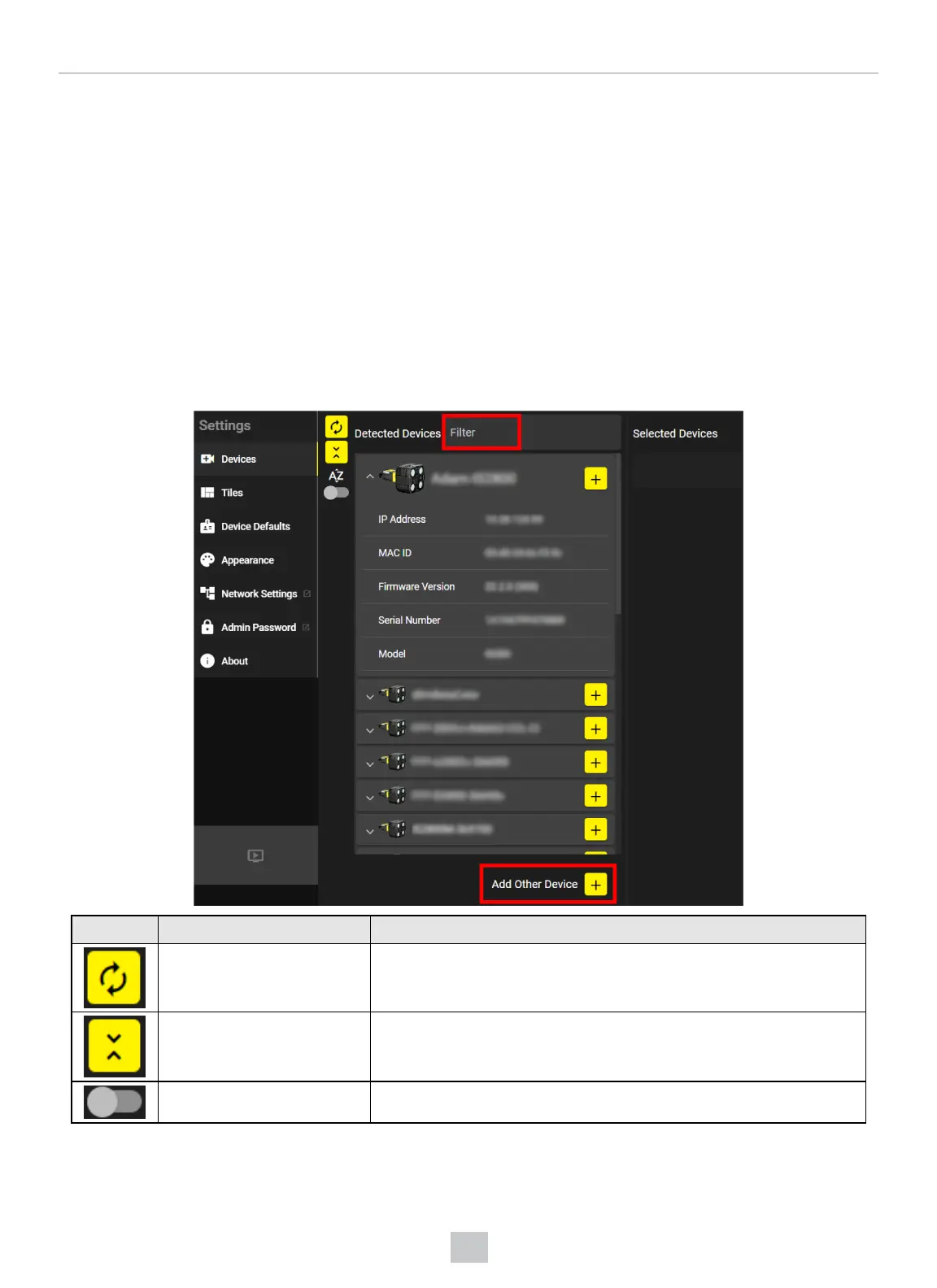
The Devices page of VisionView Web contains the Detected Devices list and the actions you can perform with the devices,
such as selecting a detected device or adding an undetected device for display on the Tiles page.
Detected Devices
After the VisionView Web application runs, the Detected Devices list automatically populates with discovered devices.
Choose the device you want to connect to from the Detected Devices list.
If you see no devices on your network or if you want to add a device that is not a Cognex device, click on Add Other Device
at the bottom of the Devices page. To filter the devices you want, enter the related information into the Filter field.
Icon Button name Description
Refresh Detected Devices Refreshes the detected devices in the list.
Expand all device details Allows you to see all device details.
Toggle device grouping Allows you to toggle the display of devices by type or alphabetically.
When you click on Add Other Device, the Device Configuration pop-up appears.
19
VisionView Web User Interface



 To Next Page