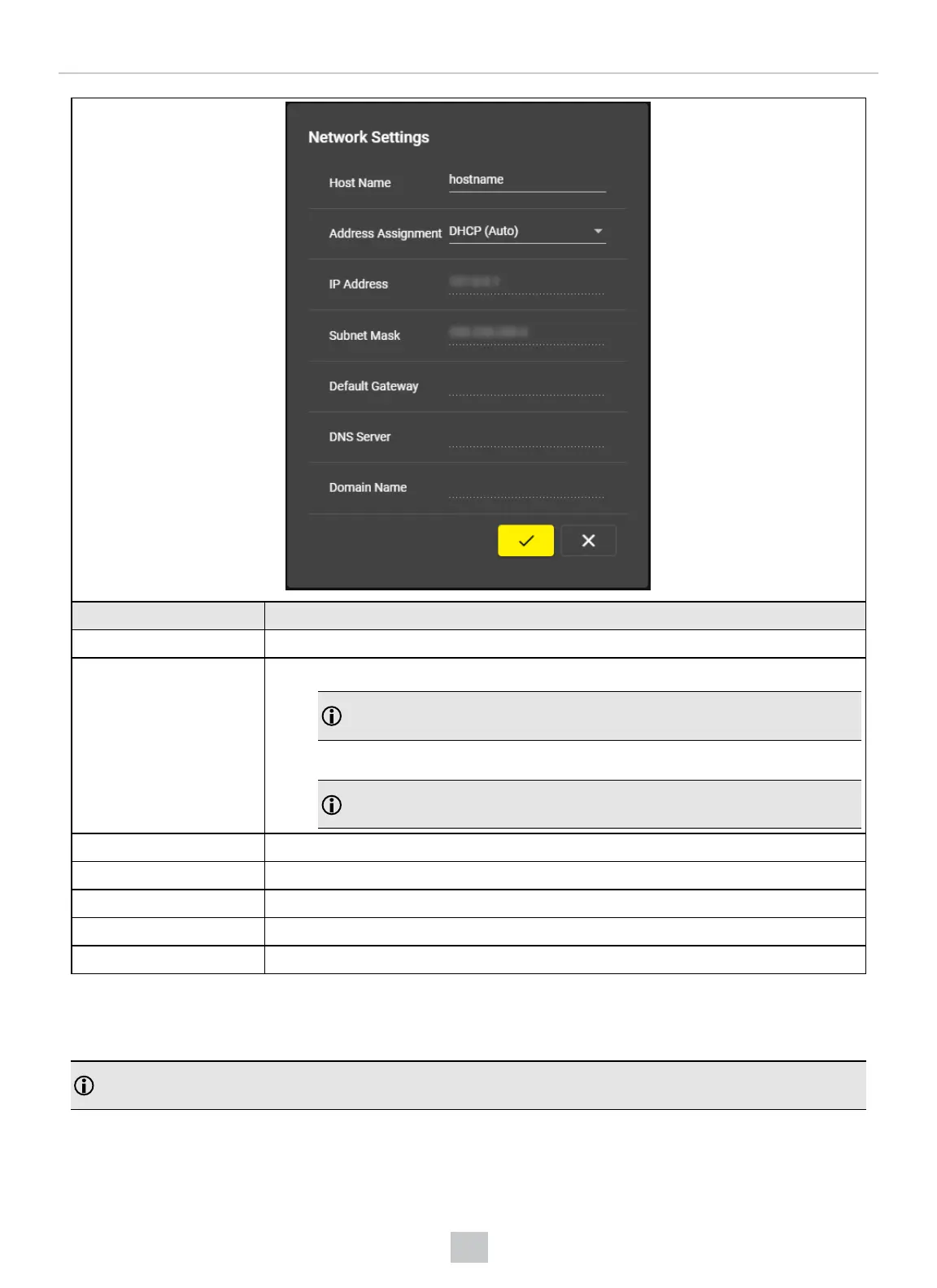
UI Element Description
Host Name Name of the VisionView Web device.
Address Assignment
l
DHCP (Auto)
Note: If you use the DHCP (Auto) setting, then only the Host Name is
configurable.
l
Static
Note: If you use the Static setting, you have to fill the Host Name, IP Address,
and Subnet Mask fields.
IPAddress Enter the VisionView Web IPaddress.
Subnet Mask Enter the VisionView Web subnet mask.
Default Gateway Enter the default gateway.
DNS Server Enter DNS server name.
Domain Name Enter the domain name.
Admin Password
In the Admin Password pop-up, you can change the VisionView Web admin password.
Note: When the admin password is set, you must enter it before configuring the VisionView Web device or performing
any actions on it from the In-Sight Vision Suite.
25
VisionView Web User Interface



 To Next Page