User’s manual
Version: 5
Page: 17 of 26
Date: 09.11.2022
MACHINE CONTROLS
PR120H
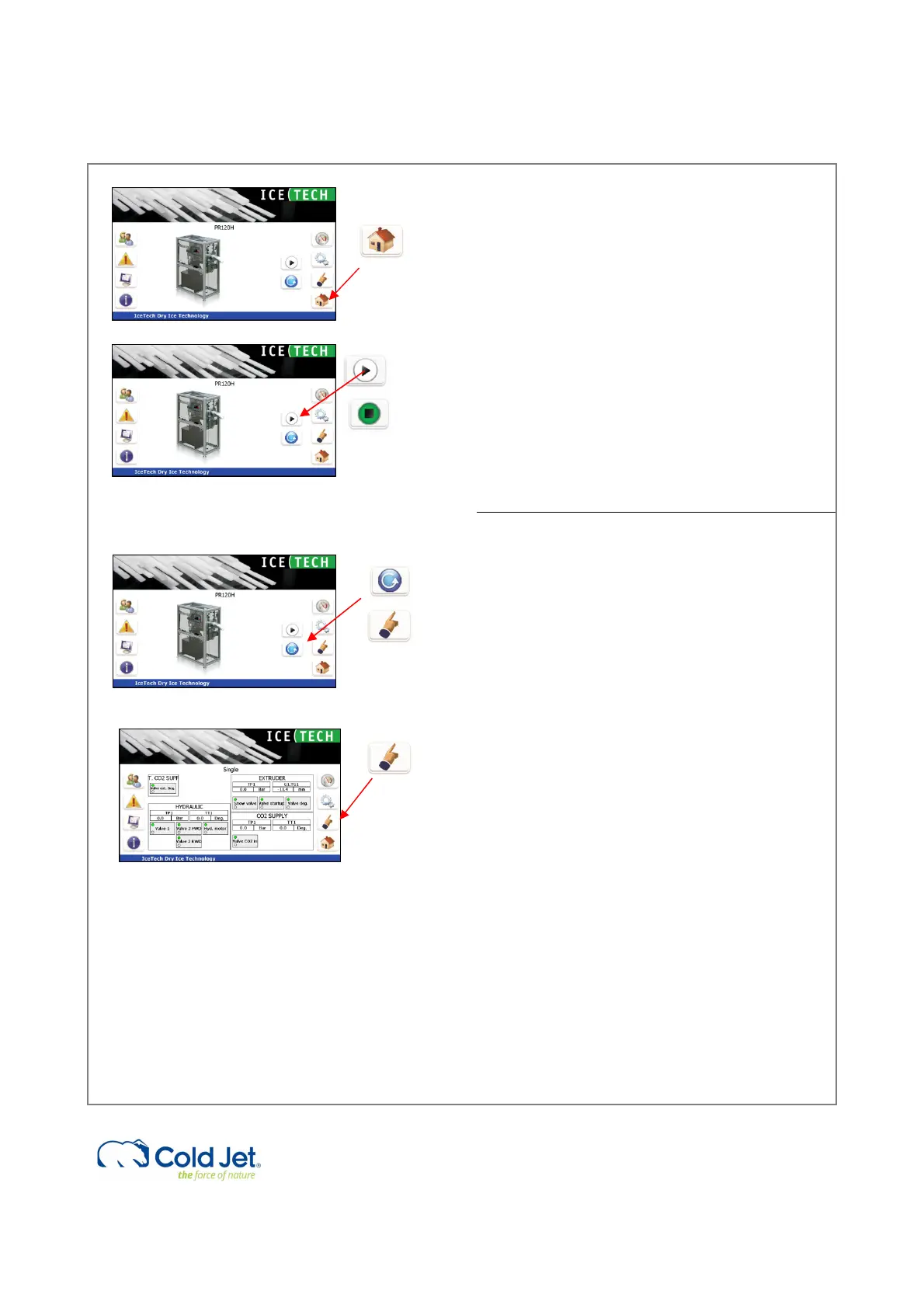
1 Start up page
This page can be activated from any page by
pressing the “Home button” in the lower right hand
corner.
2 Start /Stop
By activating the “Start / Stop” button, the machine
starts or stops when in group mode.
3 Mode select
By activating the “mode select” button, it is possible
to choose between automatic mode and single
mode.
The default selection is automatic mode, which
must be selected for production. In single mode,
the components can be operated individually.
4 Single mode controls
By activating the “Single mode” button, the manual
operation page will appear. On this page, it is
possible to access the function in single mode, i.e.
operating the components one by one.
This page should only be operated by well-trained
staff and with reference to P&I diagram.
The components will be activated by pressing the
buttons. When the component is activated and
working properly, the button will turn green
showing “Component OK”.
Most components have real names like “purge
valve” and moving the hydraulic cylinders can be
done by starting the hydraulic motor and pressing
the arrow buttons.
The hydraulic valves have numbers corresponding
to the P&I diagram.



 To Next Page