User’s manual
Version: 5
Page: 18 of 26
Date: 09.11.2022
5 Set point
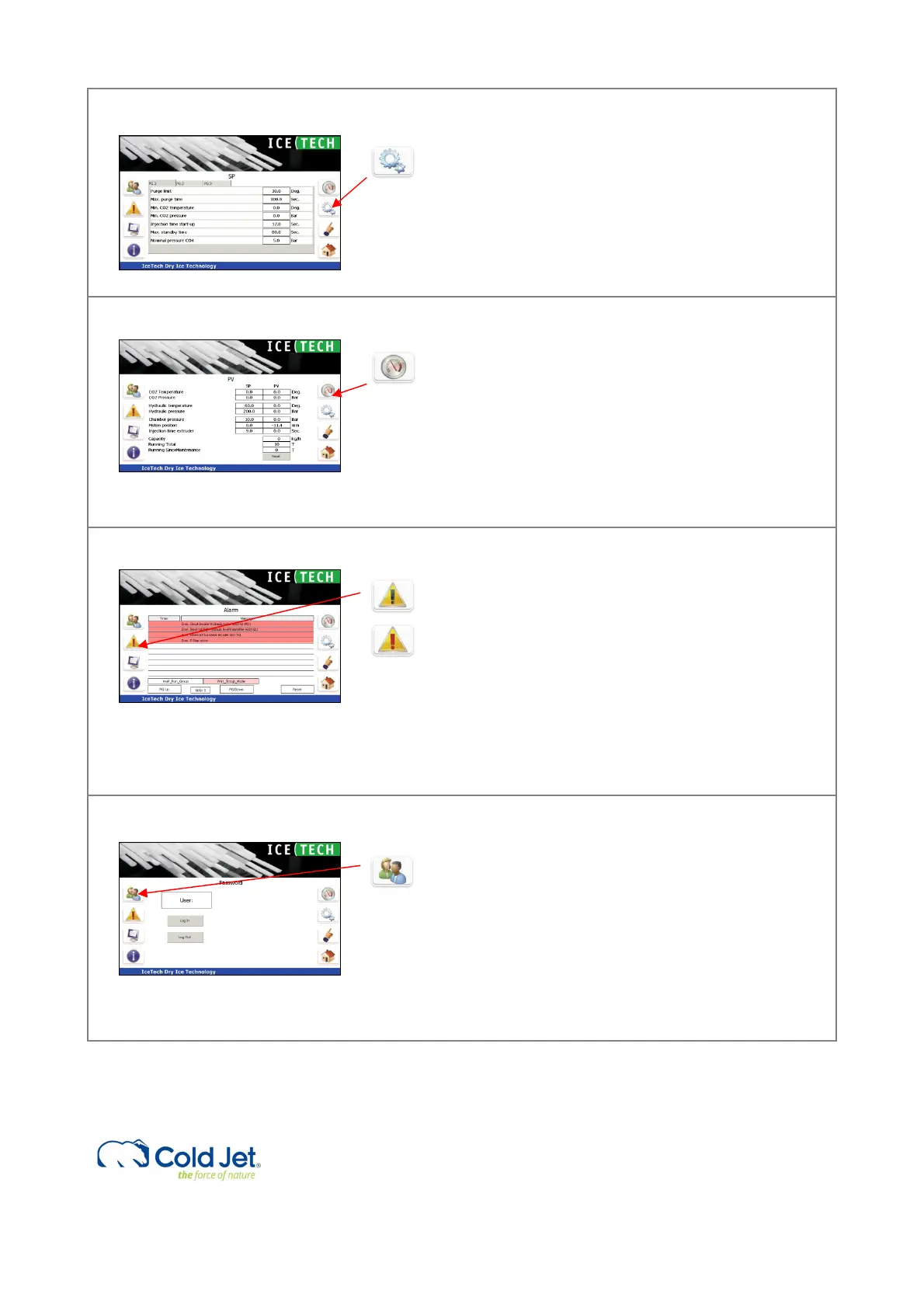
By pressing the “toothed wheel” button, the
“Setpoint” (SV) page is activated.
The “set point” section contains 3 pages display of
set values for the current dry ice production. Fixed
set points are password protected and have
hardcoded limits to avoid unsafe production.
6 Process values
By pressing the “gauge” button, the “process
values” page is activated. The page contains a 2-
column display of real time process values (PV). The
corresponding “Set Values” (SV) are displayed next
to the PV for comparison. During production, the PV
will vary inside the given SV window.
The operating hours, time to service calculated
capacity is also displayed on this page.
7 Alarm
The Alarm page displays alarms for PR120H. By
pushing the “Alarm” button, the active alarms are
shown on the screen. The alarm text will be written
in red.
Alarms must be reset before the production can
continue.
To reset an alarm, press the reset button. If the
error is corrected, the alarm text will be removed.
8 Password protection
Some functions are password protected, ie.
setpoints. To change these values, the operator
must login.
By activating the “User” button, a login window and
a keyboard appears on the screen.
Select the user level and enter the corresponding
password.
Press OK to proceed and cancel to exit.



 To Next Page