4-4 Cole Palmer
Section 4 Operation
NOTE You cannot adjust the setpoint closer than 0.1°C to either of
the uid's system limits, see Fluids Type in this Section, or beyond the
unit's temperature range.
NOTE The setpoint can be changed with the unit running or not.
The Setpoint is the desired uid temperature. The controller can store
up to ve setpoints, SP1 through SP5. The procedure for changing
the stored setpoint values is discussed later in this Section.
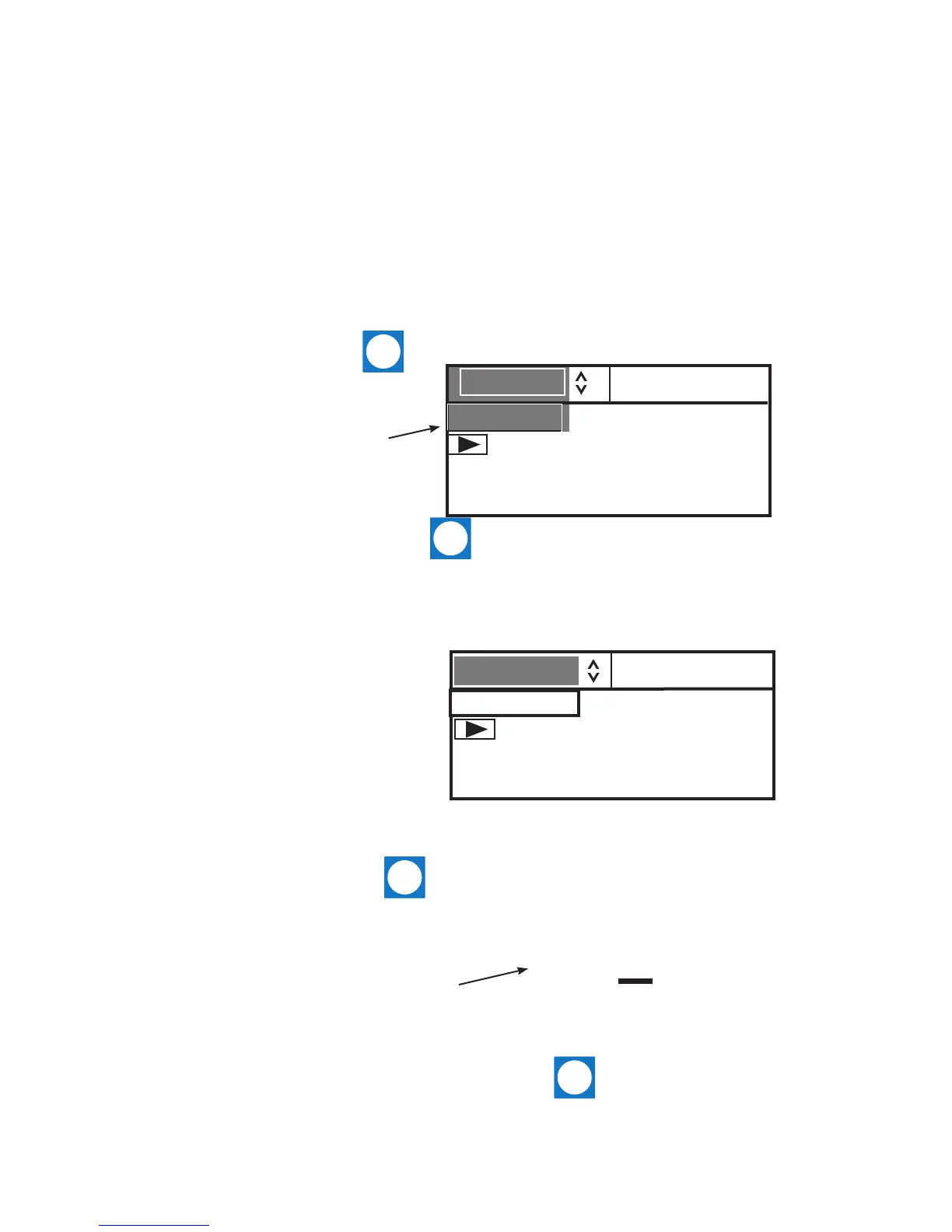
Use the navigation arrows and move to the SP1 window and then
press to highlight it as shown below.
Changing the
Setpoint
Use the up and down navigation arrows to bring up the desired setpoint
and then press .
The display on the Setpoint Value Window will now indicate the corre-
sponding setpoint's stored value.
If desired, you can change the displayed setpoint value by using the
navigation arrows to highlight the Setpoint Value Window and then
pressing . The right-most digit will have a cursor beneath it.
Use the left and right arrows to move the cursor to the desired digit
and then use the up and down arrows to change the value. Once all the
desired changes are made, press to save the change.
NOTE Using this procedure also changes the setpoint's stored value.
SP2 MENU
35.0°C
24.2°C
SP1 MENU
20.0°C
Setpoint Value Window
24.2°C
Setpoint Value Window
35.0°C


 To Next Page