EasyManua.ls Logo

Cole Parmer POLYSTAT - User Manual

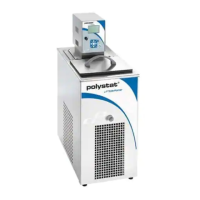
Cole Parmer POLYSTAT
49 pages
Print Icon
To Next Page IconTo Next Page
Loading...
Immersion Circulators
Manual P/N U01081 Rev. 01/28/11
Installation
Operation

Questions and Answers

  • K
    Kristen AustinAug 19, 2025
    What to do if my Cole Parmer POLYSTAT Laboratory Equipment shows a High Temperature?
    • M
      Michael HallAug 20, 2025
      If your Cole Parmer Laboratory Equipment displays a high temperature warning, first check the high temperature protection limit setting. Also, verify that the fluid selection is appropriate and ensure the unit has adequate ventilation.
  • J
    Jake MatthewsAug 21, 2025
    What to do if my Cole Parmer Laboratory Equipment displays HTC High Temp. Cutout?
    • B
      Bryan RiceAug 22, 2025
      If your Cole Parmer Laboratory Equipment displays an HTC High Temp Cutout error, first check the high temperature protection limit setting. If the limit hasn't been exceeded, allow the unit to cool down.
  • L
    Lori WyattAug 25, 2025
    What to do if my Cole Parmer POLYSTAT Laboratory Equipment displays LLC Low Level Cutout?
    • E
      Elizabeth MedinaAug 25, 2025
      If your Cole Parmer Laboratory Equipment displays an LLC Low Level Cutout error, check the fluid level in the reservoir to ensure it is at a safe operating level. Also, inspect the system for any leaks.
  • R
    Roberta OrtizAug 26, 2025
    What to do if my Cole Parmer Laboratory Equipment displays MOL Motor Overload?
    • H
      Heather ThompsonAug 26, 2025
      If your Cole Parmer Laboratory Equipment displays a MOL Motor Overload error, allow the unit to cool down.
  • M
    Melissa Ward MDAug 27, 2025
    What to do if my Cole Parmer POLYSTAT displays a Low Level?
    • C
      ckellerAug 27, 2025
      If your Cole Parmer Laboratory Equipment indicates a Low Level, check the fluid level in the reservoir to ensure it's sufficient for safe operation.
  • C
    Caitlin SkinnerAug 29, 2025
    What to do if my Cole Parmer POLYSTAT displays HPC High Press. Cutout?
    • T
      tarapotterAug 30, 2025
      If your Cole Parmer Laboratory Equipment displays an HPC High Press. Cutout error, check for any obstructions to airflow. The refrigeration may also need servicing.
  • T
    trevinodanaAug 31, 2025
    What to do if my Cole Parmer POLYSTAT displays High Temperature Refrigeration?
    • L
      Leon VangSep 1, 2025
      If your Cole Parmer Laboratory Equipment displays High Temperature Refrigeration, check the voltage supply. The refrigeration may also need servicing.
  • J
    Joseph HernandezSep 3, 2025
    Why does my Cole Parmer Laboratory Equipment show a High Fixed Temp.?
    • R
      Rebecca FreySep 3, 2025
      If your Cole Parmer Laboratory Equipment shows a High Fixed Temp, it means the unit's nonadjustable high temperature protection limit has been exceeded. Check the fluid selection and environmental conditions.
  • M
    Mary HessSep 5, 2025
    Why does my Cole Parmer Laboratory Equipment show a Low Fixed Temp.?
    • L
      linda09Sep 5, 2025
      If your Cole Parmer Laboratory Equipment shows a Low Fixed Temp, this indicates the unit's nonadjustable low temperature protection limit has been exceeded. Check the fluid selection.
  • J
    James SparksSep 7, 2025
    What to do if my Cole Parmer POLYSTAT displays a Bad Calibration?
    • D
      Donald WebsterSep 7, 2025
      If your Cole Parmer Laboratory Equipment displays a Bad Calibration message, redo the calibration.

Summary

Preface

Compliance

Information regarding the pending third-party compliance status of the unit.

Warranty

Details the two-year warranty coverage for defects in material or workmanship for the immersion circulators.

Unpacking

Instructions for retaining packing materials and checking for external or internal damage upon receipt.

Section 1 Safety

Safety Warnings

Essential safety precautions and hazard definitions (Danger, Warning, Caution) for operating the unit.

Section 2 General Information

Description

Overview of Cole Palmer Polystat® Immersion Circulators, highlighting key features and capabilities.

Specifications

Technical specifications including temperature ranges, stability, dimensions, weight, and electrical requirements for various models.

Wetted Materials

Lists the materials used in the construction of different parts of the circulators and baths.

Section 3 Installation

Ambient Conditions

Defines the acceptable environmental conditions for unit installation, such as temperature and humidity.

Ventilation

Specifies ventilation requirements to ensure proper operation and prevent overheating or premature failure.

Electrical Requirements

Details the electrical power needs, voltage, phase, and plug types for unit operation.

Remote Temperature Sensor

Information on connecting and using an optional remote temperature sensor for precise measurement.

External Circulation

Instructions for connecting the unit for external circulation, including plumbing and hose barb installation.

Fluids

Guidelines for selecting, handling, and using appropriate fluids, including safety warnings and limitations.

Additional Fluid Precautions

Safety advice and procedures when working with fluids other than water, emphasizing MSDS and PPE.

Filling Requirements

Procedure for filling the unit with fluid, including securing connections and understanding low-level warnings.

Draining

Instructions for safely draining the unit, including temperature considerations and necessary precautions.

Section 4 Operation

Controller

Overview of the circulator's controller interface, including the digital display and touch pad.

Setup

Step-by-step guide for initial unit setup, including pre-start checks and powering on.

Start Up

Procedure for starting the unit after setup, including checking connections and the initial display.

Status Display

How to interpret the unit's status display, showing operational symbols and reservoir fluid temperature.

Stand By Mode

Instructions for placing the unit into standby mode, which blanks the display.

Changing the Setpoint

Detailed steps for adjusting the desired fluid temperature (setpoint) using the controller interface.

Menu Displays

How to navigate and interact with the controller's menu-driven interface for settings.

Menu

Guidance on using the 'Menu' line to navigate back to the main menu from submenus.

Menu Tree

A visual map of the controller's menu structure, aiding in navigation and setting access.

Settings

Covers various configurable parameters like setpoints, alarms, fluid types, and pump adjustments.

Stopping the Unit

Procedure for stopping the unit's operation using the controller's stop symbol.

Power Down

Steps to power down the unit by turning off the controller's screen.

Shut Down

Instructions for safely shutting down the unit using the main circuit protector.

Restarting

Information on how to restart the unit and potential delays for compressor operation.

Section 5 Preventive Maintenance

Cleaning

Guidelines for cleaning the unit's internal and external components to ensure longevity and performance.

Condenser Fins

Instructions for cleaning the condenser fins to maintain optimal cooling capacity.

Testing the Safety Features

Procedure for regularly checking the high temperature protection and low liquid level safety functions.

Section 6 Troubleshooting

Error Displays

Explanation of typical error messages and the necessary actions to resolve them.

Check List

A practical checklist to diagnose and fix common operational issues like unit not starting or poor temperature control.

Appendix

Serial Communications

Technical details on using the NC Serial Communications Protocol for remote unit control via computer.

Cole Parmer POLYSTAT Specifications

General IconGeneral
Temperature Stability±0.01°C
DisplayDigital
Communication InterfaceRS-232
Temperature Range-20°C to 200°C
Heating Capacity2000 W
Power Supply230 V
DimensionsVaries by model
Reservoir Capacity6 L

Related product manuals