14
Programming
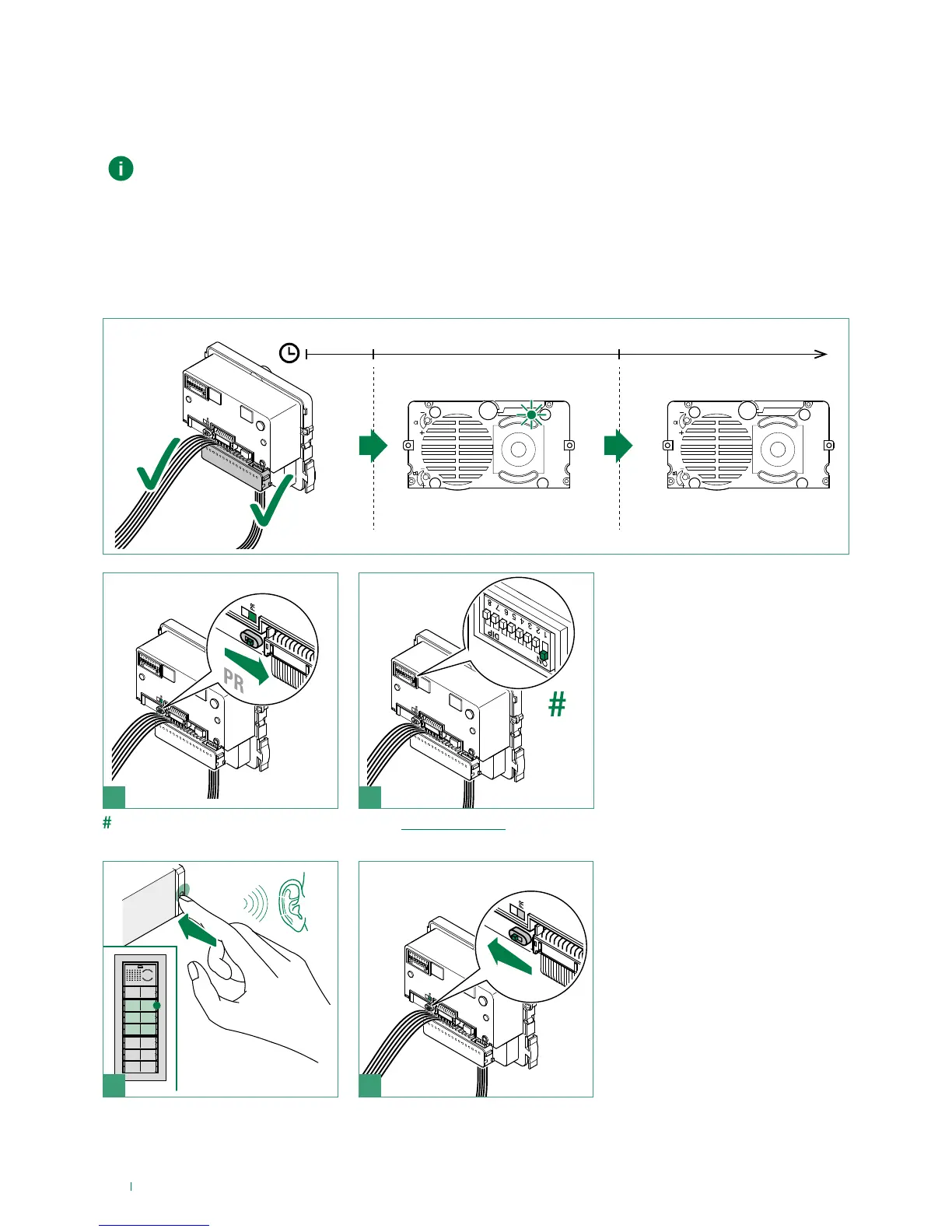
Assigning an index number to the “additional button modules”
The following procedure is used to assign an index number to each “additional button module”.
The module index must then be used with the ViP Manager software to complete module button programming
(see manual for ViP Manager software).
√ If the module has not yet been powered up, carry out the necessary wiring and wait for the device to start running.
f Wire the modules and buttons and power up the external unit
» after 10 sec. the top right-hand LED lights up
f wait for 50 sec. to complete the startup procedure
» the LED switches off to confirm completion of the procedure
Set the Index code using the dip switches; see addressing table.
Repeat steps 2 and 3 to index each additional button module
1 2
1
2
3 4
LED ON
10''0'' 50''
LED OFF



 To Next Page