8
Power supply management
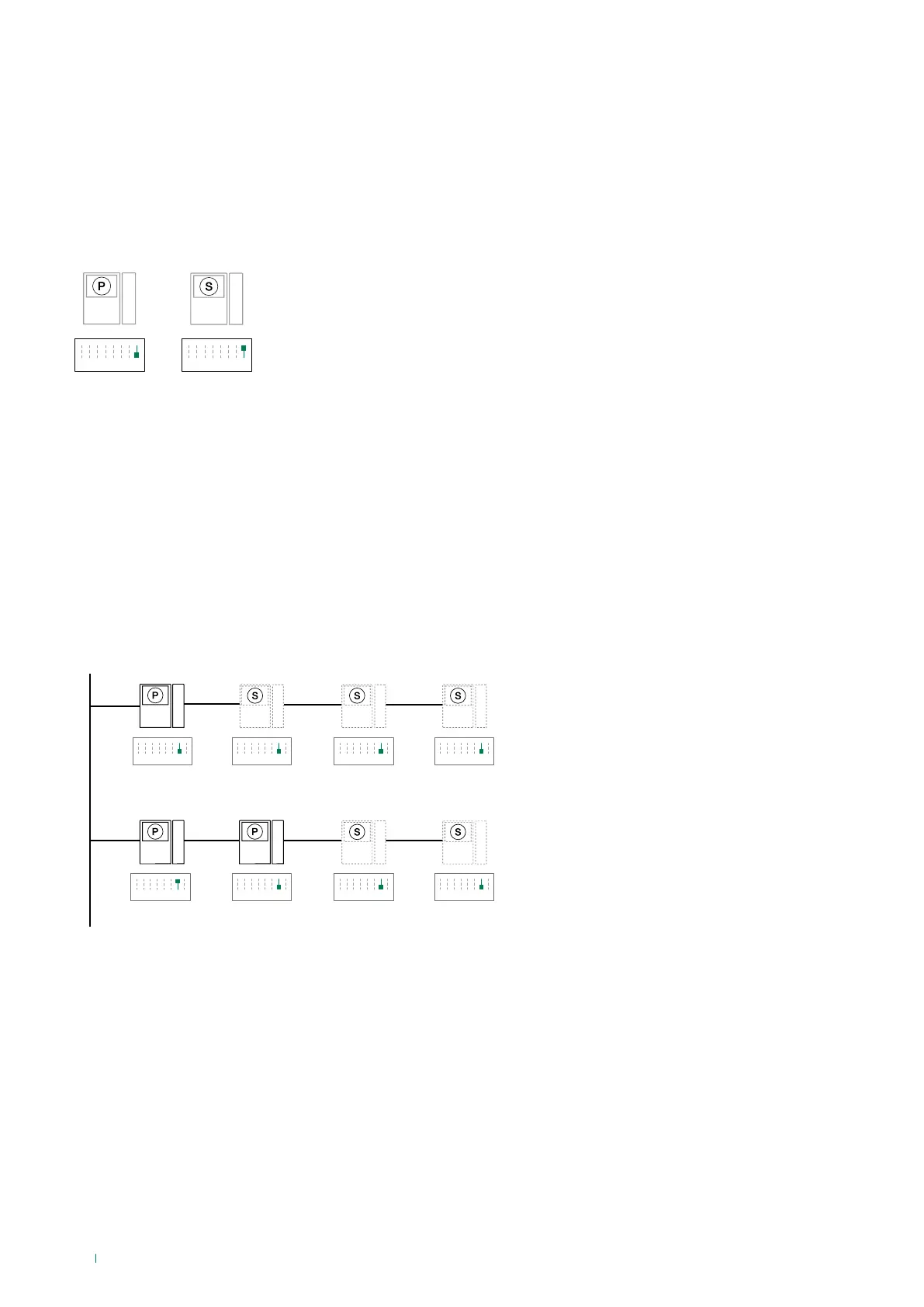
For correct power supply management, S2 DIP 7 should be set in accordance with the type of system and its configuration.
• in systems with power supply units 1209 and1210: always set S2 DIP 7 to ON
• in systems with power supply unit 4888C: for secondary internal units, always set S2 DIP 7 to OFF; for main internal units,
follow the indications given in the examples in the figure below:
A. 1 main internal unit
B. 2 main internal units
Main and secondary monitors
In systems with art. 1209 or 1210, you can configure a maximum of 1 main monitor, while in systems with art. 4888C you can
configure a maximum of 2 main monitors.
To configure an internal unit as the main unit, set S2 DIP 8 to OFF
To configure an internal unit as a secondary unit, set S2 DIP 8 to ON
Monitor configuration
S2
1 2 3 4 6 75 8
S2
1 2 3 4 6 75 8
S2
1 2 3 4 6 75 8
S2
1 2 3 4 6 75 8
S2
1 2 3 4 6 75 8
S2
1 2 3 4 6 75 8
S2
1 2 3 4 6 75 8
S2
1 2 3 4 6 75 8
S2
1 2 3 4 6 75 8
S2
1 2 3 4 6 75 8
6701W - 6701W/BM
6701W/8
For correct power supply management, S2 DIP 7 must always be set to ON, even in systems with 4888C and 4888CU (as in
the factory settings).


 To Next Page