15
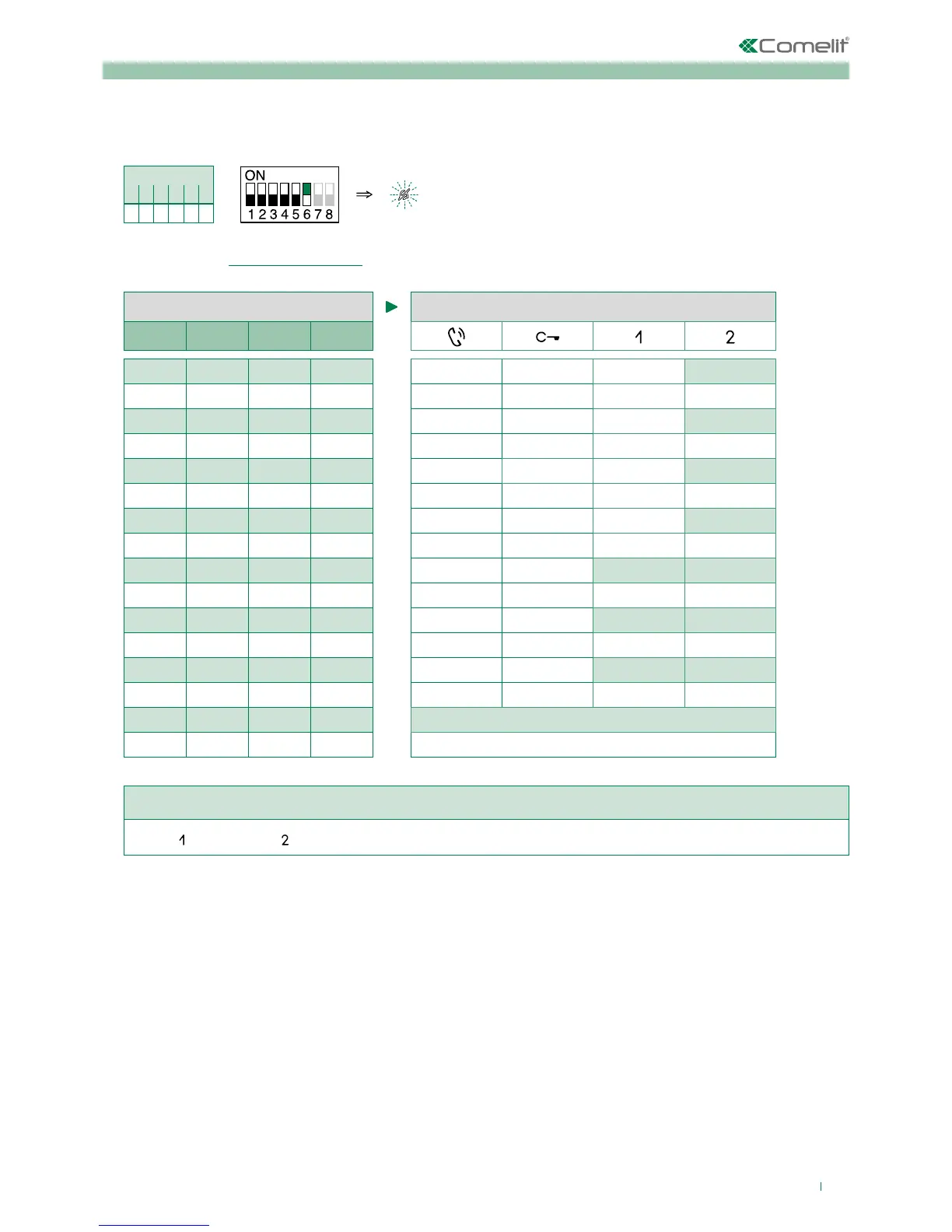
2. Refer to the table "Basic configuration" and select a combination in which the desired/necessary functions are listed for
the buttons you wish to program.
S2 BUTTON PROGRAMMING
DIP 1 DIP 2 DIP 3 DIP 4
0 0 0 0
CCS
0 1 0 0
D
1 1 0 0
CCP
1 0 1 0
K
0 1 1 0
D
0 0 0 1
CCS PAN
1 0 0 1
K CCS
0 1 0 1
CCP K
1 1 0 1
PAN CCP
0 0 1 1
PAN
0 1 1 1
NULL
1 1 1 1 PROG
Example programming of button 1 Call to secondary switchboard and button 2 Panic.
(Button
= CCS, Button = PAN) Set S2 DIP switches 1-2-3-4 to the combination 0 0 0 1.
3. Press and release the buttons to which you wish to assign the functions
» Correct procedure indication: the Lock release LED flashes for a few seconds and a confirmation tone sounds
» Procedure error indication: the Audio LED flashes for few seconds and an error tone sounds
4. To exit programming mode, set S2 DIP switch 6 to the combination 0
» the Privacy LED switches off
5. After programming, set S2 DIP switches 1-2-3-4 to the combination 1111.
Other functions
1. To enter programming mode, set S2 DIP switch 6 to combination 1
» the Privacy LED flashes
S2 DIP
1 2 3 4 5 6
0 0 0 0 0 1
S2



 To Next Page