13
6. SOFTWARE
6.1 Introduction
The software allows the parameters and temperatures detected by the MB 103 in real time to be displayed.
Create a Log File where all the data can be stored.
6.2 Installation
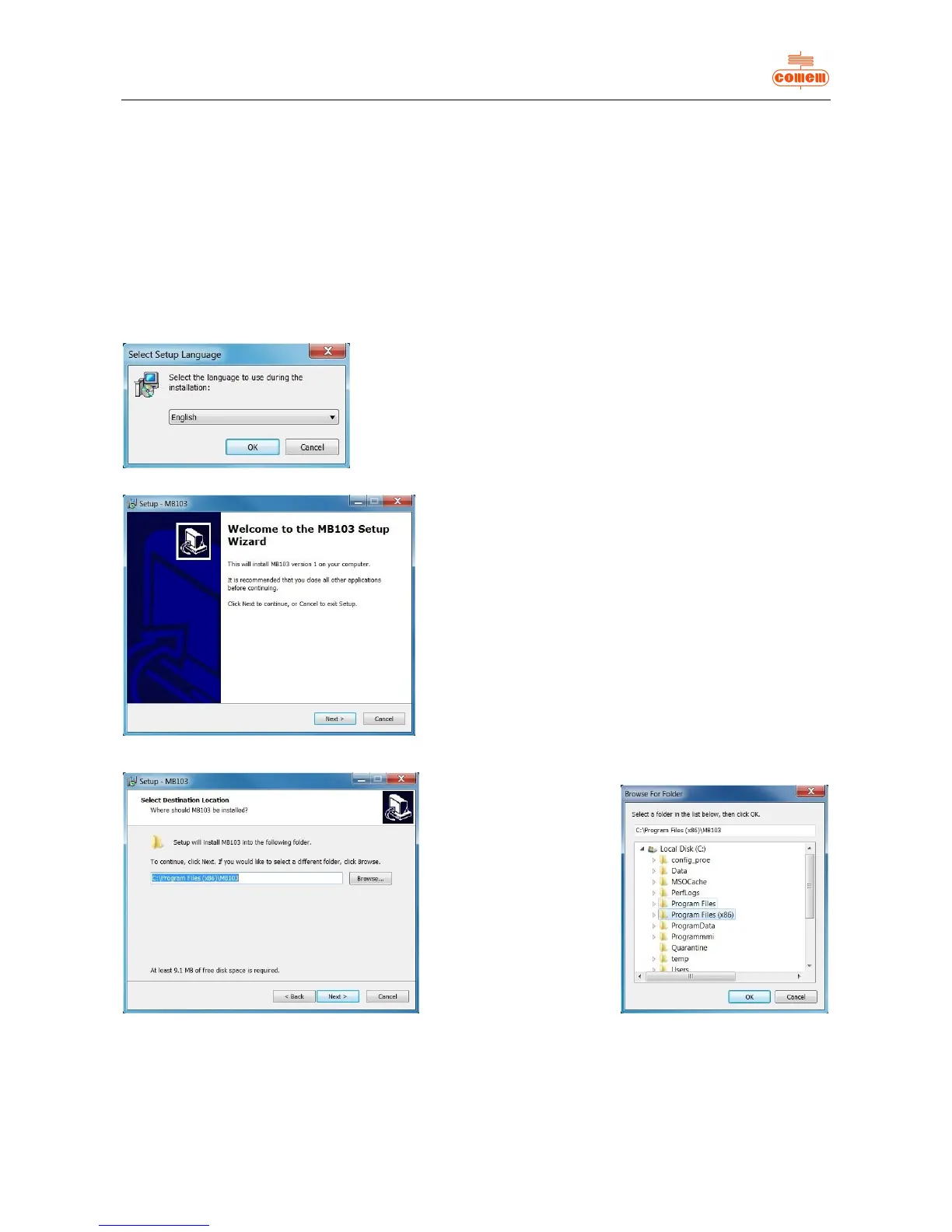
To install the program used by the MB 103 Temperature Control Unit, insert the CD into the PC drive and wait until for the installation
procedure autorun.
After a few minutes, if the autorun fails to appear, run the “Setup” program by means of “Computer resources” or “Explore resources”.
Fig. 1
Fig. 2
Fig. 3 Fig. 4
Select the installation language
then press OK. (fig. 1)
Click on “Next”. (fig. 2)


 To Next Page