COMESTERO GROUP M21/03.02
Rev.02
of 25/09/03
Page 31 of 34
1
1
1
1
.
.
R
R
M
M
5
5
R
R
E
E
P
P
A
A
I
I
R
R
G
G
U
U
I
I
D
D
E
E
–
–
F
F
O
O
R
R
E
E
V
V
O
O
L
L
U
U
T
T
I
I
O
O
N
N
V
V
E
E
R
R
S
S
I
I
O
O
N
N
O
O
N
N
L
L
Y
Y
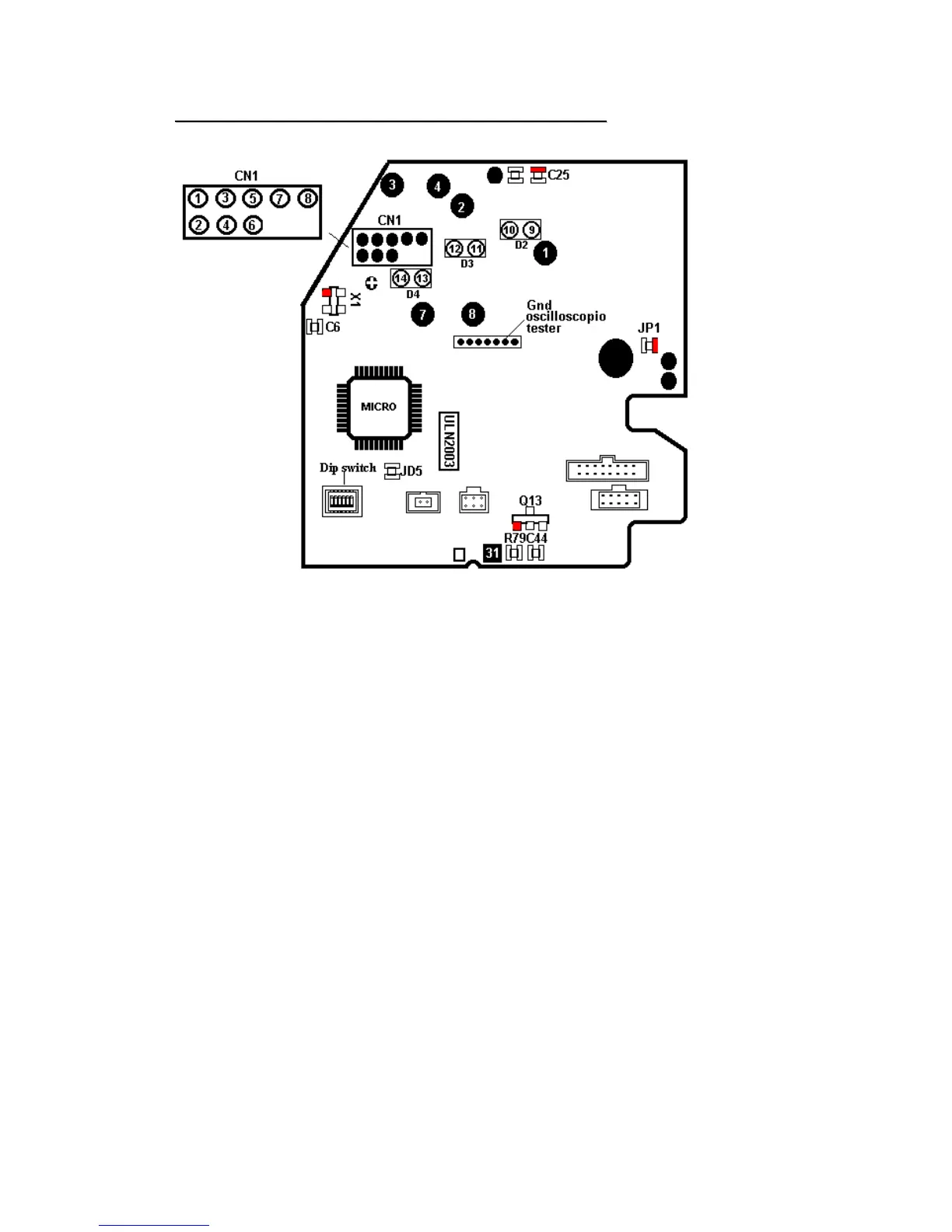
GND oscilloscopy tester
TEST PROCEDURE
Connect equipment to PC and open Clone5 program.
A Make sure that channels are adjusted and enabled.
B Make sure that the configuration of the equipment is the one requested by the
machine.
C Make sure that for each channel the coin/token value is present.
D In totalizer versions, check price setting.
E Check for the presence of a “Limit”,if any.
Access HARDWARE menu
A out the output test by making sure that the coil correctly trips and the six leds
corresponding to the six outputs are lit.
B Make sure that “Cash” sensor (TLP) is “Disabled”. To check operation, insert a coin
into the cash slot (see figure in RM5 manual) and press Hardware Test push button:
its status will change and “Enabled” will be displayed.
C .Make sure that reference and stand by values of acceptance coils are
approximately equal.
Acceptance solenoid does not trip:
Carry out a short circuit between CHECK POINT 31 and X1 red pin. If the solenoid does not trip,
replace it otherwise check with Q13 oscilloscopy (red terminal). With the above-mentioned short


 To Next Page