EasyManua.ls Logo

Commodore 64C - Page 30

Commodore 64C
40 pages
Print Icon
To Next Page IconTo Next Page
To Previous Page IconTo Previous Page
Loading...
loading
and
running
disk
software
Here
is
the
procedure
you
follow
to
load
prepackaged
disk
softwares
or
disk
software
that
you
have
programmed
yourself:
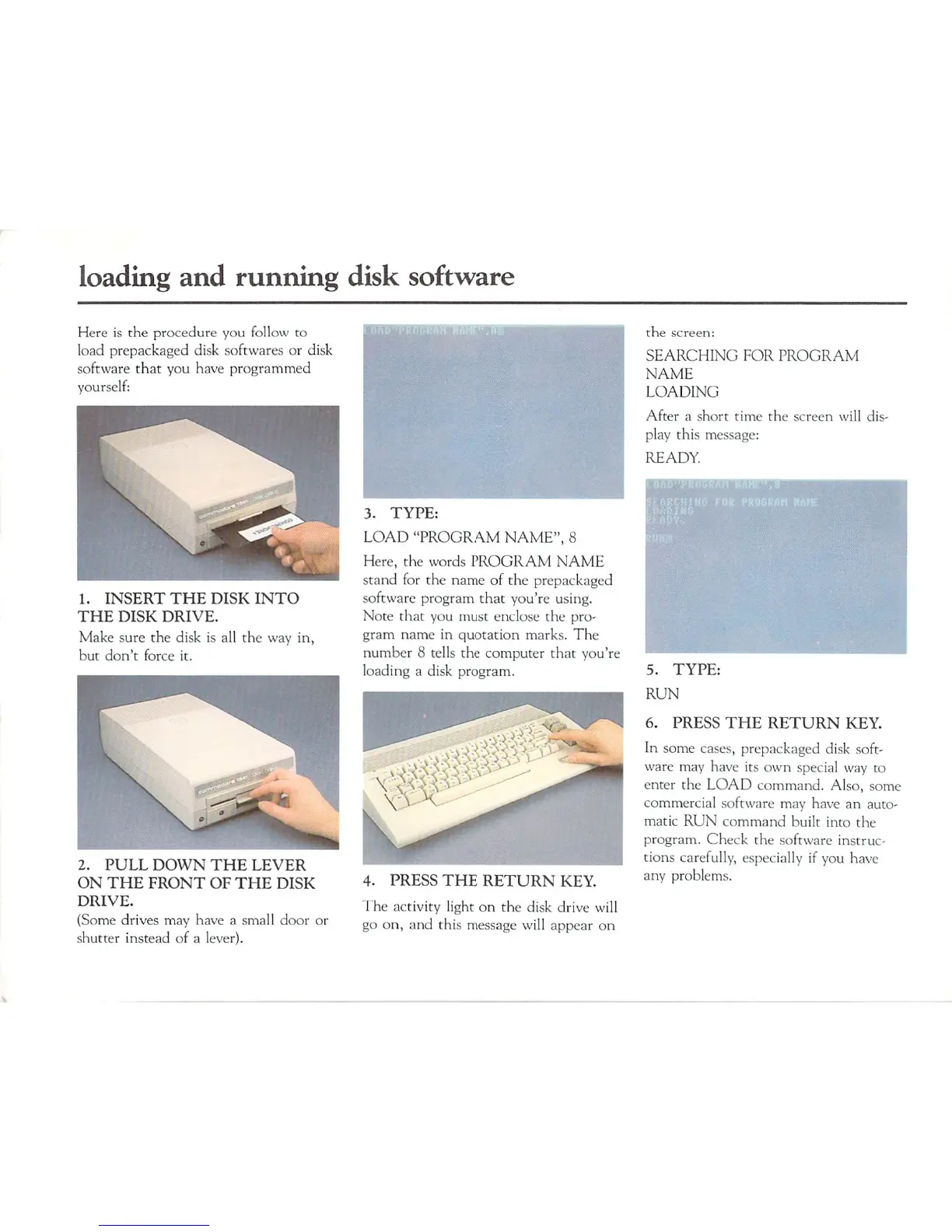
1.
INSERT
THE
DISK
INTO
THE
DISK
DRIVE.
Make
sure the
disk
is
all
the
way
in,
but
don't
force
it.
2.
PULL
DOWN
THE
LEVER
ON
THE
FRONT
OF
THE
DISK
DRIVE.
(Some
drives
may
have
a
small
door
or
shutter
instead
of
a
lever).
3.
TYPE:
LOAD
"PROGRAM
NAME",
8
Here,
the
words
PROGRAM
NAME
stand
for
the
name
of
the
prepackaged
software
program
that you're
using.
Note
that
you
must
enclose
the
pro
gram
name
in
quotation
marks.
The
number
8
tells
the
computer
that
you're
loading
a
disk
program.
1
v><
\^A
4.
PRESS
THE
RETURN
KEY
The
activity
light
on
the
disk
drive
will
go
on,
and
this
message
will
appear
on
the
screen:
SEARCHING
FOR
PROGRAM
NAME
LOADING
After
a
short
time
the
screen
will
dis
play
this
message:
READY.
5.
TYPE:
RUN
6.
PRESS
THE
RETURN
KEY.
In
some
cases,
prepackaged
disk
soft
ware
may
have
its
own
special
way
to
enter
the
LOAD
command.
Also,
some
commercial
software
may
have
an
auto
matic
RUN
command
built
into
the
program.
Check
the
software
instruc
tions
carefully,
especially
if
you
have
any
problems.

Related product manuals