EasyManua.ls Logo

Commodore 64C - Summary of Most-Used 64 C Commands

Commodore 64C
40 pages
Print Icon
To Next Page IconTo Next Page
To Previous Page IconTo Previous Page
Loading...
loading
cassette
tape
software
Follow
these
steps to
load
prepackaged
cassette
tapes:
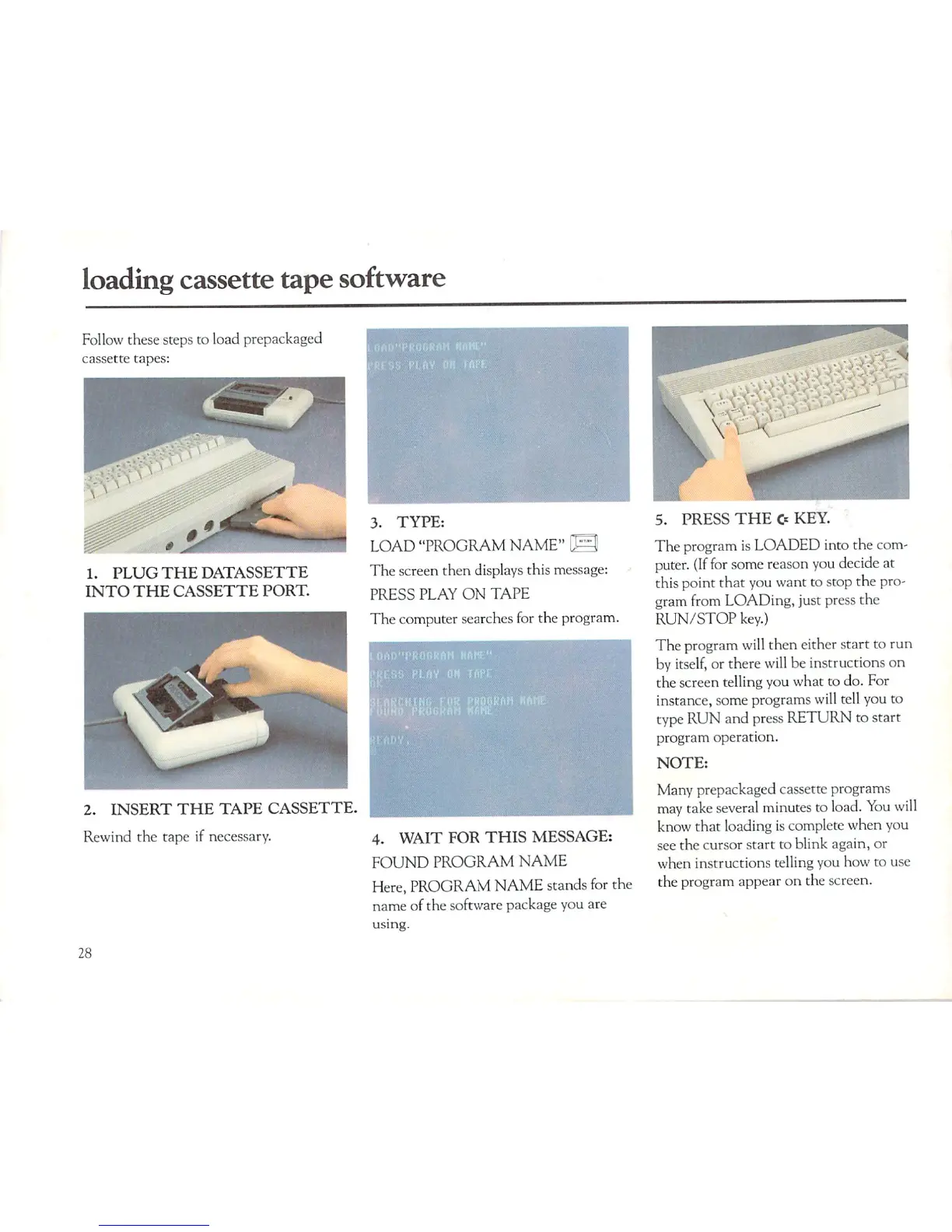
1.
PLUG
THE
DATASSETTE
INTO
THE
CASSETTE
PORT.
3.
TYPE:
LOAD
"PROGRAM
NAME"
\S
The
screen
then
displays
this
message:
PRESS
PLAY
ON
TAPE
The
computer
searches
for
the
program.
2.
INSERT
THE
TAPE
CASSETTE.
Rewind
the
tape
if
necessary.
4.
WAIT
FOR
THIS
MESSAGE:
FOUND
PROGRAM
NAME
Here,
PROGRAM
NAME
stands
for
the
name
of
the
software
package
you
are
using.
5.
PRESS
THE
O
KEY.
The
program
is
LOADED
into
the
com
puter.
(If
for
some
reason
you
decide
at
this
point
that
you
want
to
stop
the
pro
gram
from
LOADing,
just
press
the
RUN/STOP
key.)
The
program
will
then
either
start
to
run
by
itself,
or there
will
be
instructions
on
the
screen
telling
you what
to
do.
For
instance,
some
programs
will
tell
you
to
type
RUN
and
press
RETURN
to
start
program
operation.
NOTE:
Many
prepackaged
cassette
programs
may
take
several
minutes
to load.
You
will
know
that
loading
is
complete
when
you
see
the
cursor
start
to
blink
again,
or
when
instructions
telling
you
how
to
use
the
program
appear
on
the
screen.
28

Related product manuals