EasyManua.ls Logo

Commodore AMIGA 1084S - Control Locations and Functions; Front View Controls; Rear View Controls and Ports

Commodore AMIGA 1084S
30 pages
Print Icon
To Next Page IconTo Next Page
To Previous Page IconTo Previous Page
Loading...
GB-4
Monitor
1084S
The
chart
below
indicates
the
operating
modes
suitable
to
the
type
of
computer
you
are
using:
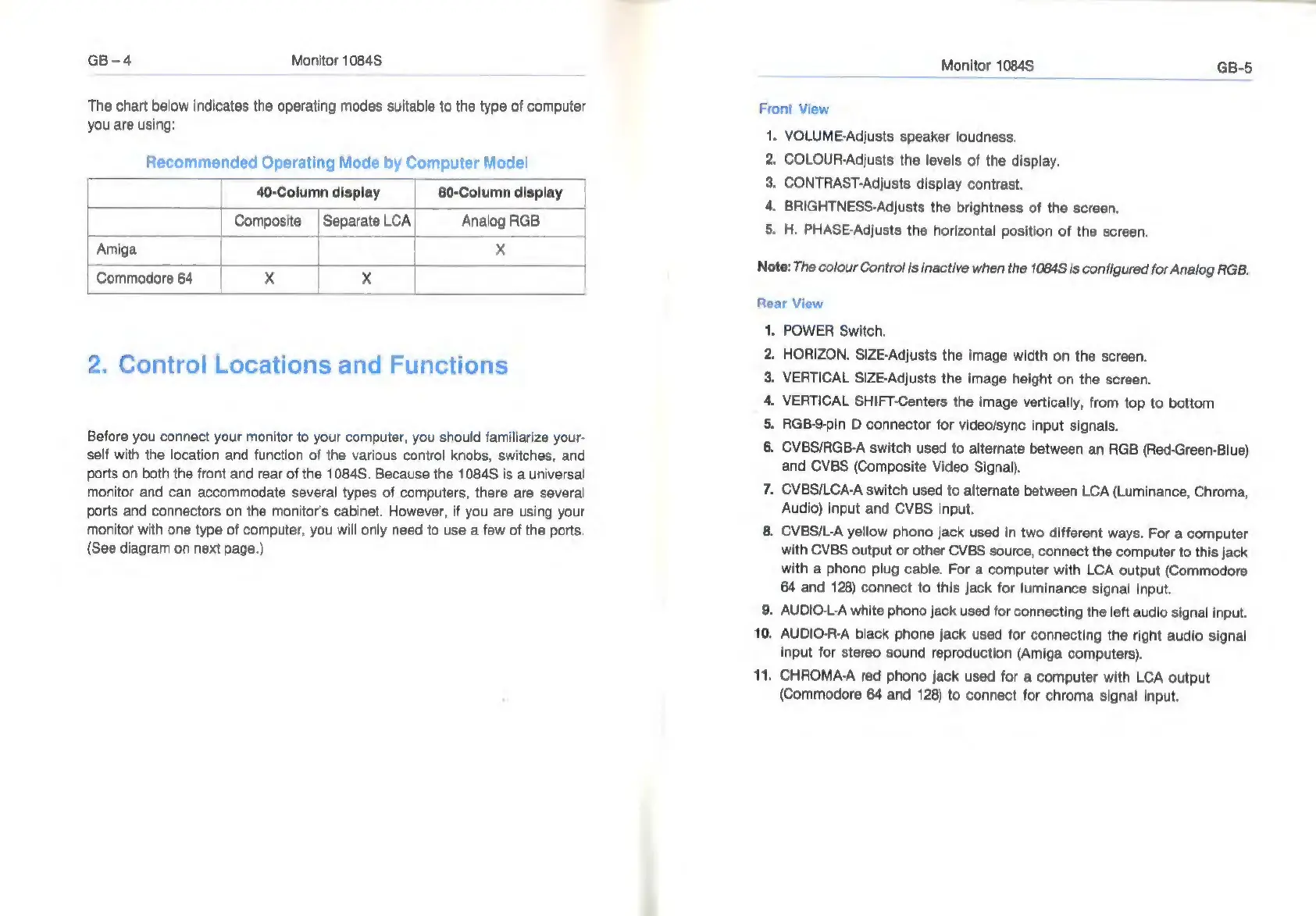
Recommended
Operating
Mode
by
Computer
Model
|
40-Column
display
80-Column
display
|
|
Composite
|
Separate
LCA
Analog
RGB
Amiga
|
|
x
Commodore
64
|
x
|
x
2.
Control
Locations
and
Functions
Before
you
connect
your
monitor
to
your
computer,
you
should
familiarize
your-
self
with
the
location
and
function
of
the
various
control
knobs,
switches,
and
ports
on
both
the
front
and
rear
of
the
1084S.
Because
the
1084S
is
a
universal
monitor
and
can
accommodate
several
types
of
computers,
there
are
several
ports
and
connectors
on
the
monitor's
cabinet.
However,
if
you
are
using
your
monitor
with
one
type
of
computer,
you
will
only
need
to
use
a
few
of
the
ports.
(See
diagram
on
next
page.)
Monitor
1084S
GB-5
Front
View
1.
VOLUME-Adjusts
speaker
loudness.
2.
COLOUR-Adjusts
the
levels
of
the
display.
3.
CONTRAST-Adjusts
display
contrast.
4.
BRIGHTNESS-Adjusts
the
brightness
of
the
screen.
5.
H.
PHASE-Adjusts
the
horizontal
position
of
the
screen.
Note:
The
colour
Control
is
inactive
when
the
1084S
is
configured
for
Analog
RGB.
Rear
View
|.
POWER
Switch.
.
HORIZON.
SIZE-Adjusts
the
image
width
on
the
screen.
.
VERTICAL
SIZE-Adjusts
the
image
height
on
the
screen.
VERTICAL
SHIFT-Centers
the
image
vertically,
from
top
to
bottom
.
RGB-9-pin
D
connector
for
video/sync
input
signals.
.
CVBS/RGB-A
switch
used
to
alternate
between
an
RGB
(Red-Green-Blue)
and
CVBS
(Composite
Video
Signal).
.
CVBS/LCA-A
switch
used
to
alternate
between
LCA
(Luminance,
Chroma,
Audio)
input
and
CVBS
input.
8.
CVBSI/L-A
yellow
phono
jack
used
in
two
different
ways.
For
a
computer
with
CVBS
output
or
other
CVBS
source,
connect
the
computer
to
this
jack
with
a
phono
plug
cable.
For
a
computer
with
LCA
output
(Commodore
64
and
128)
connect
to
this
jack
for
luminance
signal
input.
9.
AUDIO-L-A
white
phono
jack
used
for
connecting
the
left
audio
signal
input.
10.
AUDIO-R-A
black
phone
jack
used
for
connecting
the
right
audio
signal
input
for
stereo
sound
reproduction
(Amiga
computers).
11.
CHROMA-A
red
phono
jack
used
for
a
computer
with
LCA
output
(Commodore
64
and
128)
to
connect
for
chroma
signal
input.
Pn
ren
=
si

Related product manuals