EasyManua.ls Logo

Commodore AMIGA 1084S - Connecting the Monitor to a Computer; Connecting the Analog RGB Display

Commodore AMIGA 1084S
30 pages
Print Icon
To Next Page IconTo Next Page
To Previous Page IconTo Previous Page
Loading...
GB-6
Monitor
1084S
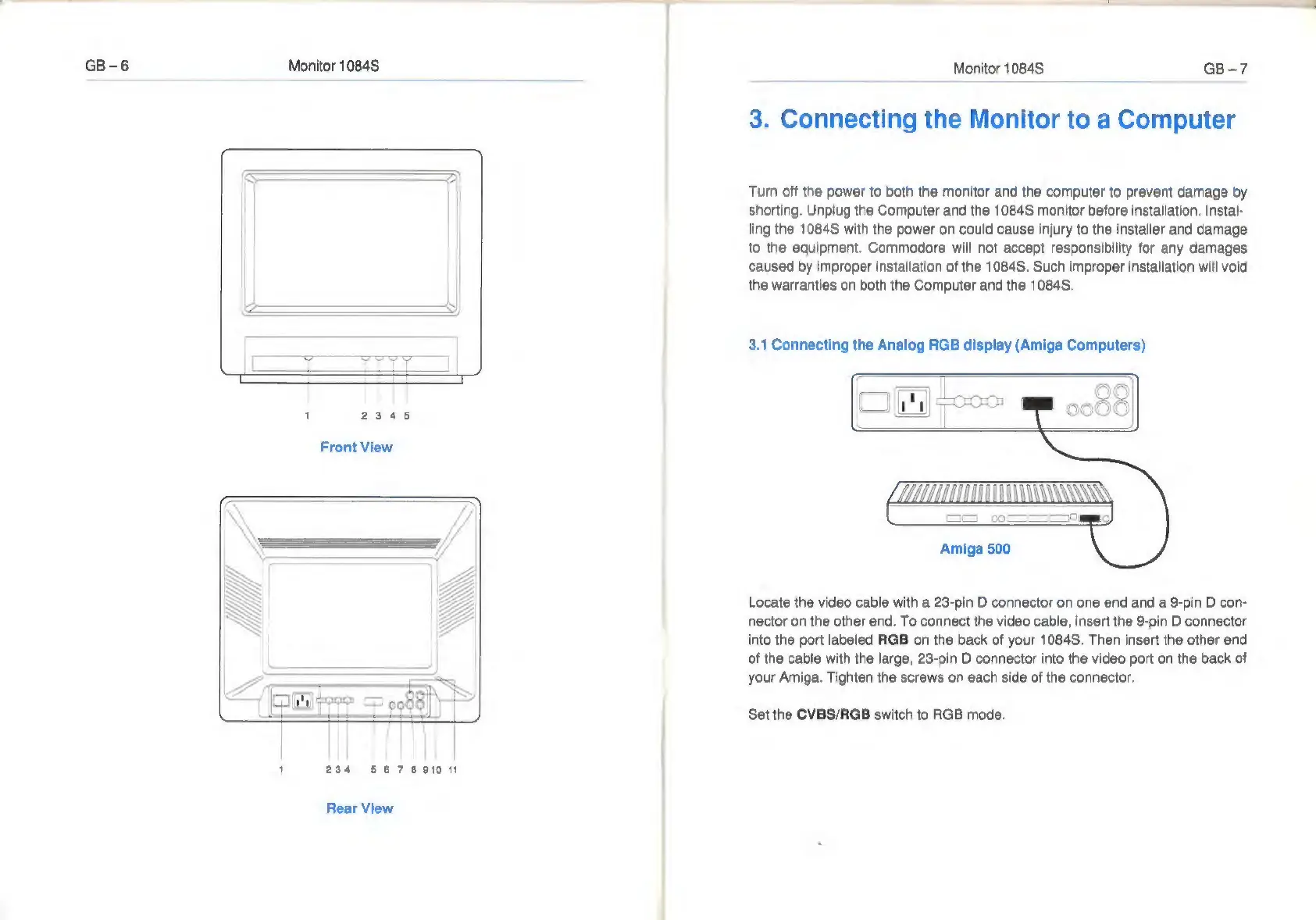
1
2345
Front
View
234
567891011
Rear
View
Monitor
1084S
GB-7
3.
Connecting
the
Monitor
to
a
Computer
Turn
off
the
power
to
both
the
monitor
and
the
computer
to
prevent
damage
by
shorting.
Unplug
the
Computer
and
the
1084S
monitor
before
installation.
Instal-
ling
the
1084S
with
the
power
on
could
cause
injury
to
the
installer
and
damage
to
the
equipment.
Commodore
will
not
accept
responsibility
for
any
damages
caused
by
improper
installation
of
the
1084S.
Such
improper
installation
will
void
the
warranties
on
both
the
Computer
and
the
1084S.
3.1
Connecting
the
Analog
RGB
display
(Amiga
Computers)
Amiga
500
Locate
the
video cable
with
a
23-pin
D
connector
on
one
end and
a
9-pin
D
con-
nector
on
the
other
end.
To
connect
the
video
cable,
insert
the
9-pin
D
connector
into
the
port
labeled
RGB
on
the
back
of
your
1084S.
Then
insert
the
other
end
of
the
cable
with
the
large,
23-pin
D
connector
into
the
video
port
on
the
back
of
your
Amiga.
Tighten
the
screws
on
each
side
of
the
connector.
Set
the
CVBS/RGB
switch
to
RGB
mode.

Related product manuals