EasyManua.ls Logo

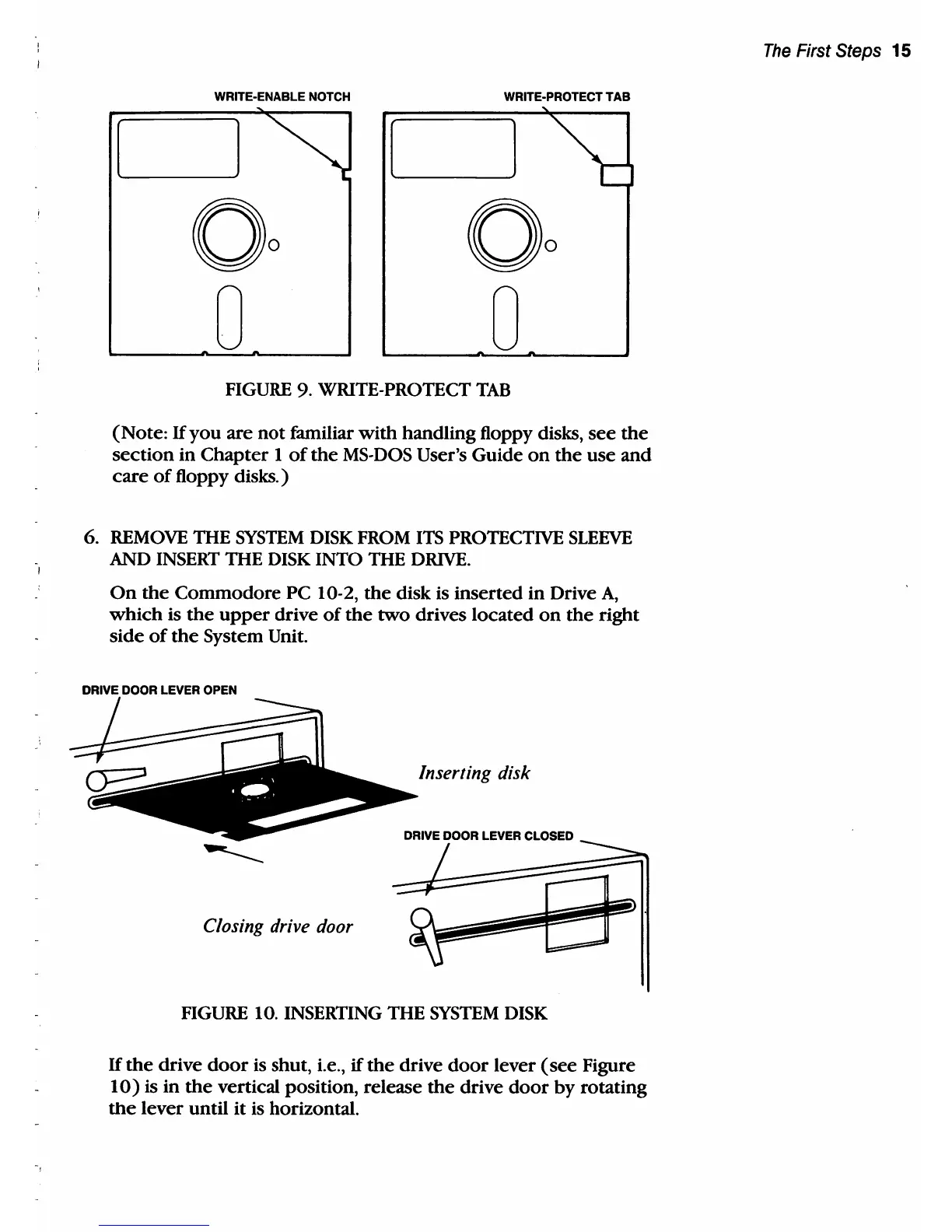
Commodore PC 10 - FIGURE 9. Write-Protect Tab; FIGURE 10. Inserting the System Disk

Commodore PC 10
494 pages
Print Icon
To Next Page IconTo Next Page
To Previous Page IconTo Previous Page
Loading...
WRITE-ENABLE NOTCH WRITE-PROTECT
TAB
FIGURE 9. WRITE-PROTECT
TAB
(Note:
If
you
are
not
familiar
with
handling floppy disks,
see
the
section
in
Chapter
1
of
the
MS-DOS
User's Guide
on
the
use
and
care
of
floppy disks.)
6.
REMOVE
THE
SYSTEM
DISK FROM
ITS
PROTECTIVE
SLEEVE
AND
INSERT
THE DISK INTO THE
DRIVE.
On
the
Commodore
PC 10-2,
the
disk is
inserted
in Drive
A,
which
is
the
upper
drive
of
the
two
drives located
on
the
right
side
of
the
System Unit.
DRIVE LEVER OPEN
Inserting disk
DRIVE DOOR LEVER CLOSED
----
Closing drive door
FIGURE 10. INSERTING THE
SYSTEM
DISK
If
the
drive
door
is shut, i.e.,
if
the
drive
door
lever
(see
Figure
10)
is in
the
vertical position, release
the
drive
door
by
rotating
the
lever until
it
is horizontal.
The
First Steps 15

Table of Contents

Related product manuals