KEYBUK
LABEL
MODE
RECOVER
REPLACE
RESTORE
SHARE
SUBST
TREE
RAMDRIVE
XCOPY
DISKCOMP
ASSIGN
MORE
PRINT
SORT
FORMAT
SYS
EXE
2850
EXE
2750
EXE
13652
EXE
4145
EXE
4852
EXE
21360
EXE
8544
EXE
9898
EXE
8556
SYS
6454
EXE
5396
EXE
3808
COM
1523
COM
282
EXE
8824
EXE
1898
EXE
10973
COM
4607
37
File(s)
Learning About Disks, Files,
and
Directories
151
3-21-86
12:00p
3-21-86
12:00p
3-21-86
12:00p
3-21-86
12:
OOp
3-21
-86
12:
OOp
3-21-86
12:00p
3 -
21
-
86
1 2 :
00
p
3-21-86
12:00p
3 -
21
-
86
1 2 : 0 0 p
3-21-86
12:
OOp
3-21-86
12:00p
3-21-86
12:
OOp
3-21-86
12:
OOp
3-21-86
12:
OOp
3-21-86
12:
OOp
3-21
-86
12:
OOp
3-21-86
12:
OOp
3-21-86
12:
OOp
17408
bytes
free
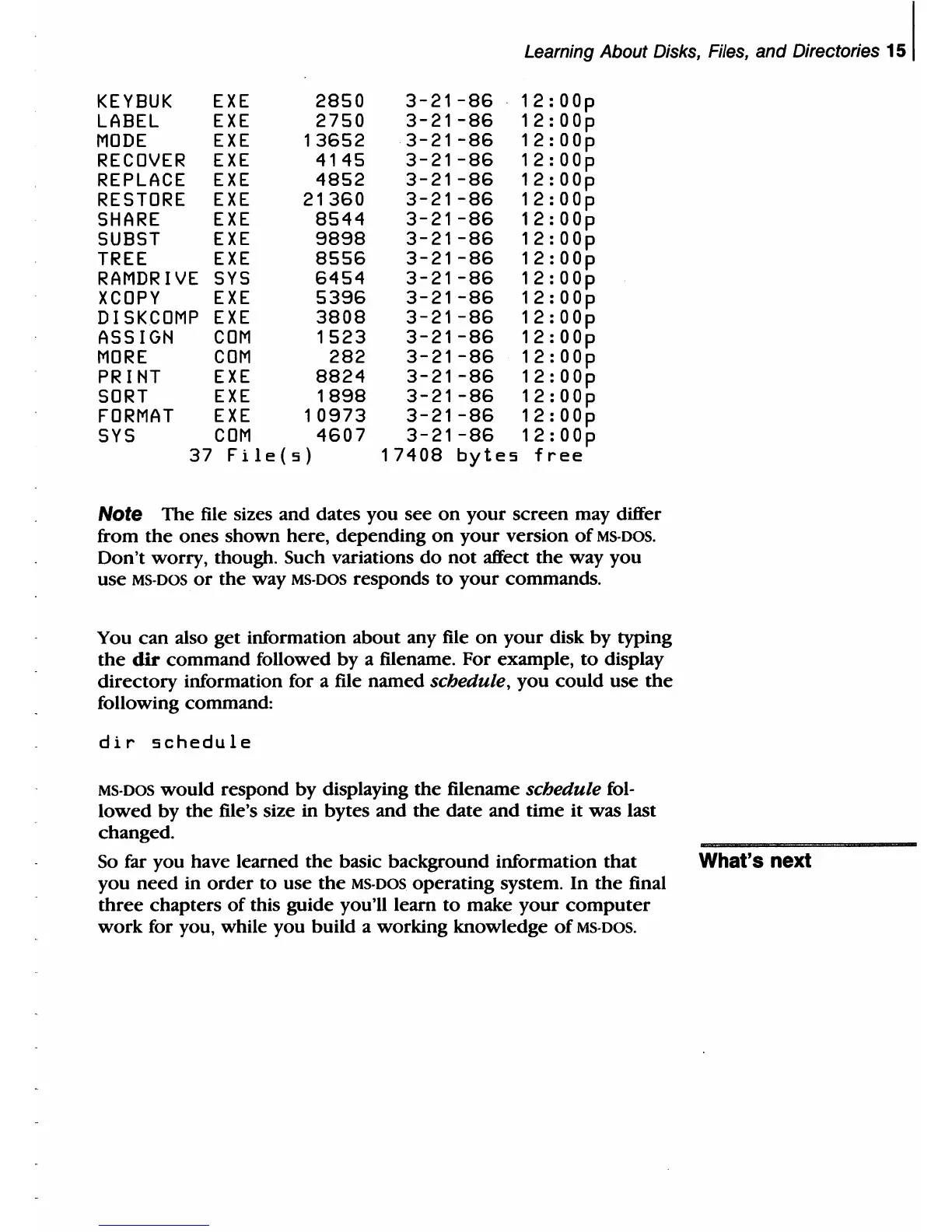
Note The file sizes and dates you see
on
your screen may differ
from
the
ones shown here, depending
on
your version
of
MS-DOS.
Don't worry, though. Such variations
do
not
affect the way you
use
MS·DOS
or
the
way MS·DOS responds
to
your commands.
You
can
also get information about any file
on
your disk by typing
the
dir
command followed by a filename. For example,
to
display
directory information for a file named schedule, you could use
the
following command:
dir
schedule
MS·DOS would respond by displaying the filename schedule fol·
lowed by the file's size in bytes and the date and time it
was last
changed.
So far you have learned
the
basic background information that What's
next
you need in
order
to use
the
MS-DOS operating system. In
the
final
three
chapters
of
this guide you'll learn
to
make
your
computer
work
for you, while you build a working knowledge
of
MS·DOS.



 To Next Page