24
K09657H02 | PROC-CAL/002/03 USER MANUAL | V. 11/07/2023
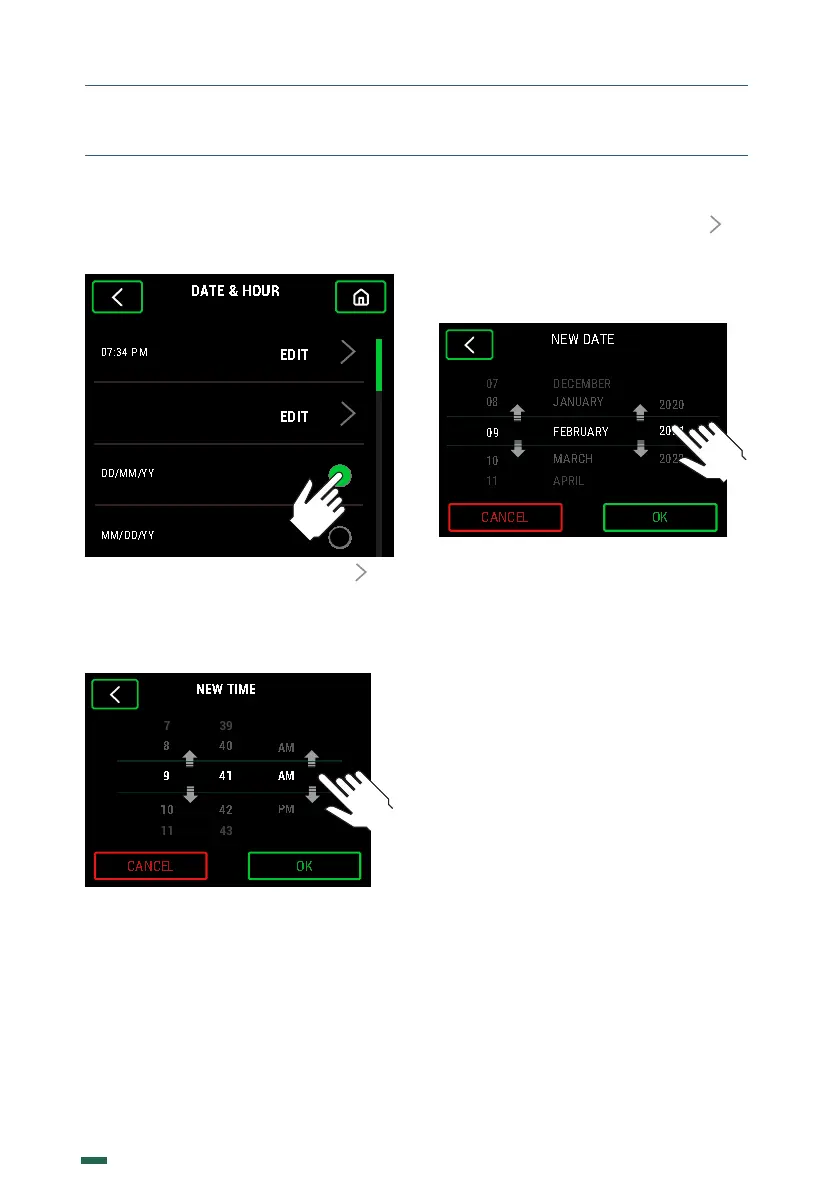
10.13. 2. Edit both the time, the date, or the
way to show the date between DD/MM/YY
or MM/DD/YY.
10.13.3. Edit the time by pressing to
access the time setting screen. Change the
hours, minutes, and seconds by sliding up or
down until the desired time is obtained and
press the button OK to confirm.
. SETTINGS
10.13.4. Edit the date by pressing to
access the date setting screen. Change the
days, months, and years by sliding up or
down until the desired time is obtained and
press the button OK to confirm.


 To Next Page