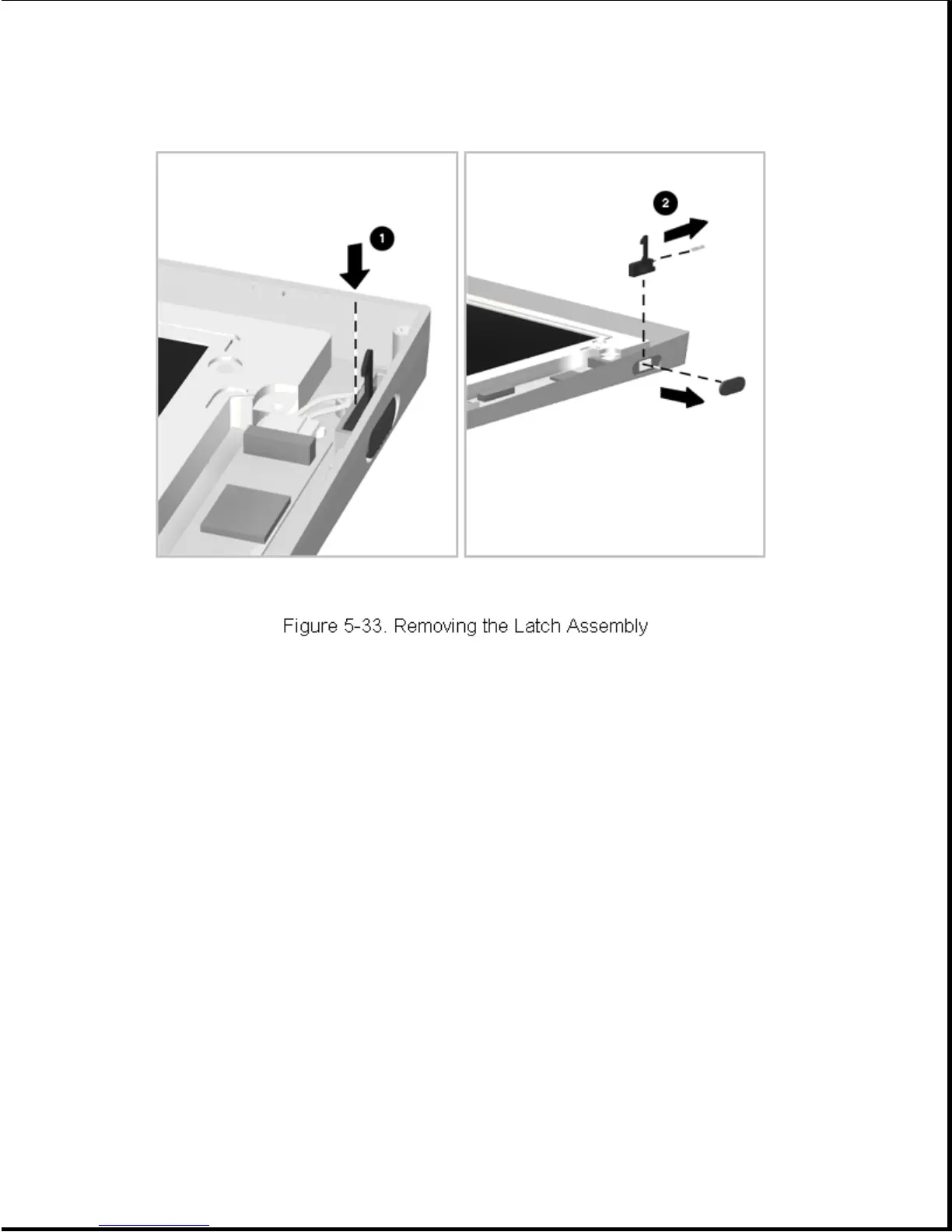
4. Lift out the latch [2] and its attached spring (Figure 5-33).
Reverse the above procedure to install a latch assembly.
5.8.4 Removing and Installing the Clutch Assembly
To remove a clutch assembly, complete the following steps:
1. Remove the display assembly as described in Section 5.8.1.
2. Remove the display bezel as described in Section 5.8.2.
3. Remove the screws holding the clutch assembly and bracket to the
display housing (Figure 5-34), and remove the clutch assembly and
bracket.









 To Next Page