MNC-0000-041 17 of 34 Revision A
Operation Addendum, HPA Control Utility
the current date, time and alarm condition are recorded in the
fault log.
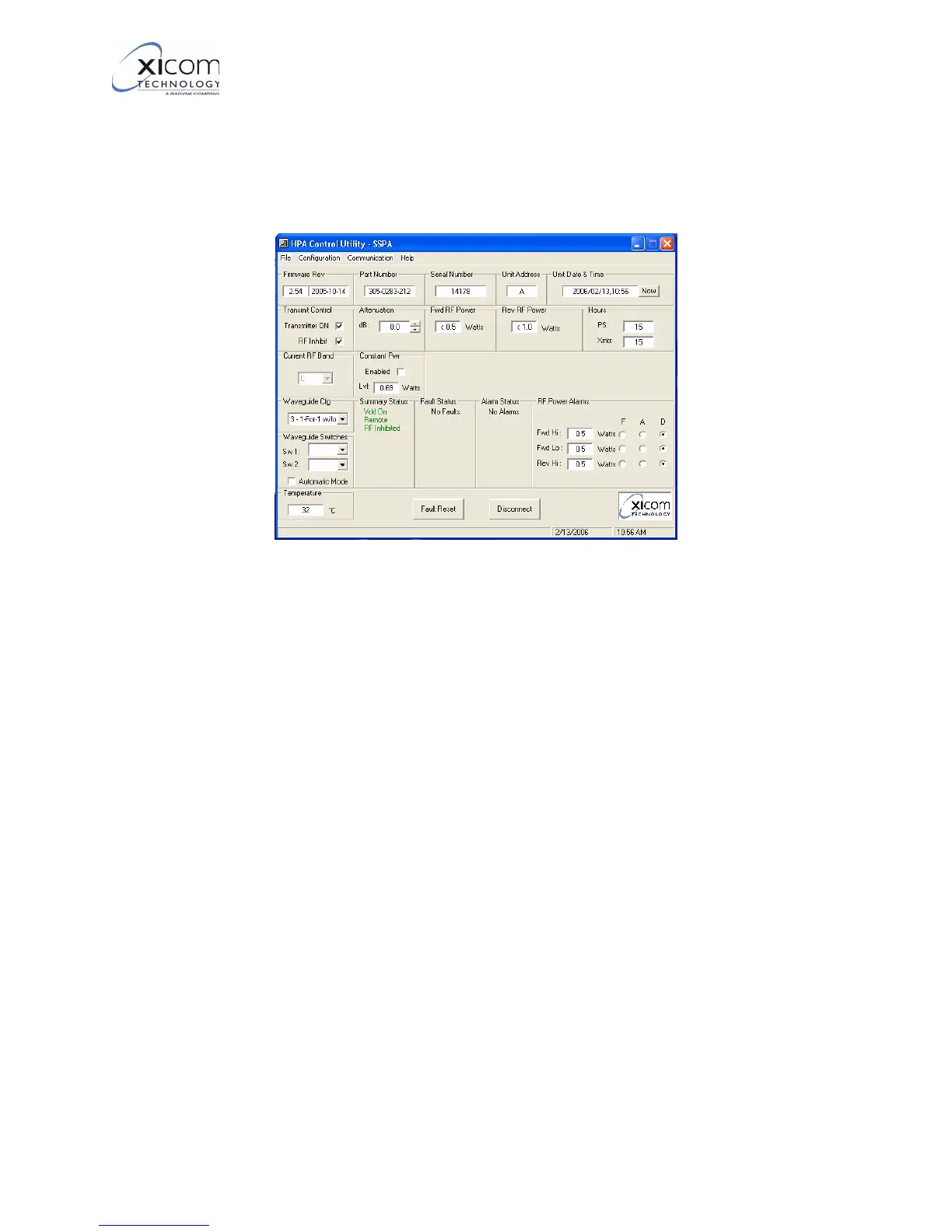
Lastly, the “Temperature” window indicates the current tempera-
ture of the amplifier.
Figure 17, Primary User Interface - Connected
3. Refer to Figure 18 and Figure 19. When the program is
connected to an amplifier, the amplifier’s fault log may be viewed
by Selecting :
“File-> Download Fault Log”.
This will open a window containing the current fault log in the
Windows Notebook program.
EAR EXPORT CONTROLLED: The information contained in this Manual refers or relates to a product that is subject
to the U.S. Export Administration Regulations (EAR). Transfer of data herein by any means to a Foreign Person,
whether in the U.S. or abroad, may require an export license from the U.S. Department of Commerce.



 To Next Page