MNC-0000-041 27 of 34 Revision A
Operation Addendum, HPA Control Utility
Required Equipment
The following equipment is required to configure the ODU
system:
• Windows based computer with an open Serial Port (RS-232 or
RS485)
• Xicom’s HPA Control Utility for Windows. Xicom PN 809-0007-001.
It is shipped on a CD with the amplifier manual.
• Appropriate serial cable:
— A null modem serial cable for RS-232 interface
— A straight-through serial cable with a 232-to-485 adapter for the
RS-485 interface
Configuration
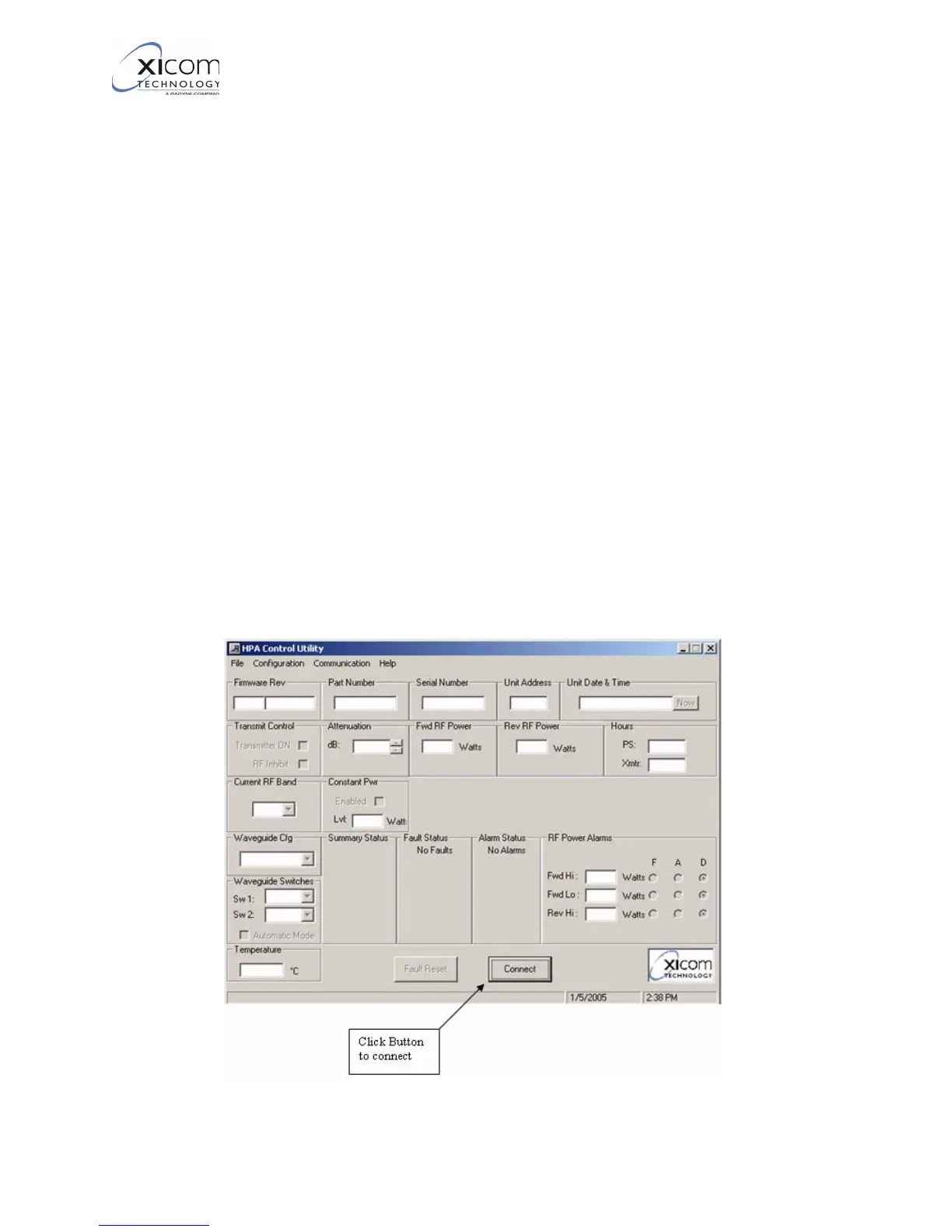
Refer to Figure 30. Perform these steps to configure the ODU
system.
1. Connect the serial cable from the amplifier M&C connector to the
PC’s communication port.
2. Run the HPA Control utility on the PC and connect to the
amplifier.
Figure 30, Connecting to Amplifier
EAR EXPORT CONTROLLED: The information contained in this Manual refers or relates to a product that is subject
to the U.S. Export Administration Regulations (EAR). Transfer of data herein by any means to a Foreign Person,
whether in the U.S. or abroad, may require an export license from the U.S. Department of Commerce.



 To Next Page