MNC-0300-036 19 of 26 Revision E
Unpacking and Installation
WG Switches Position select
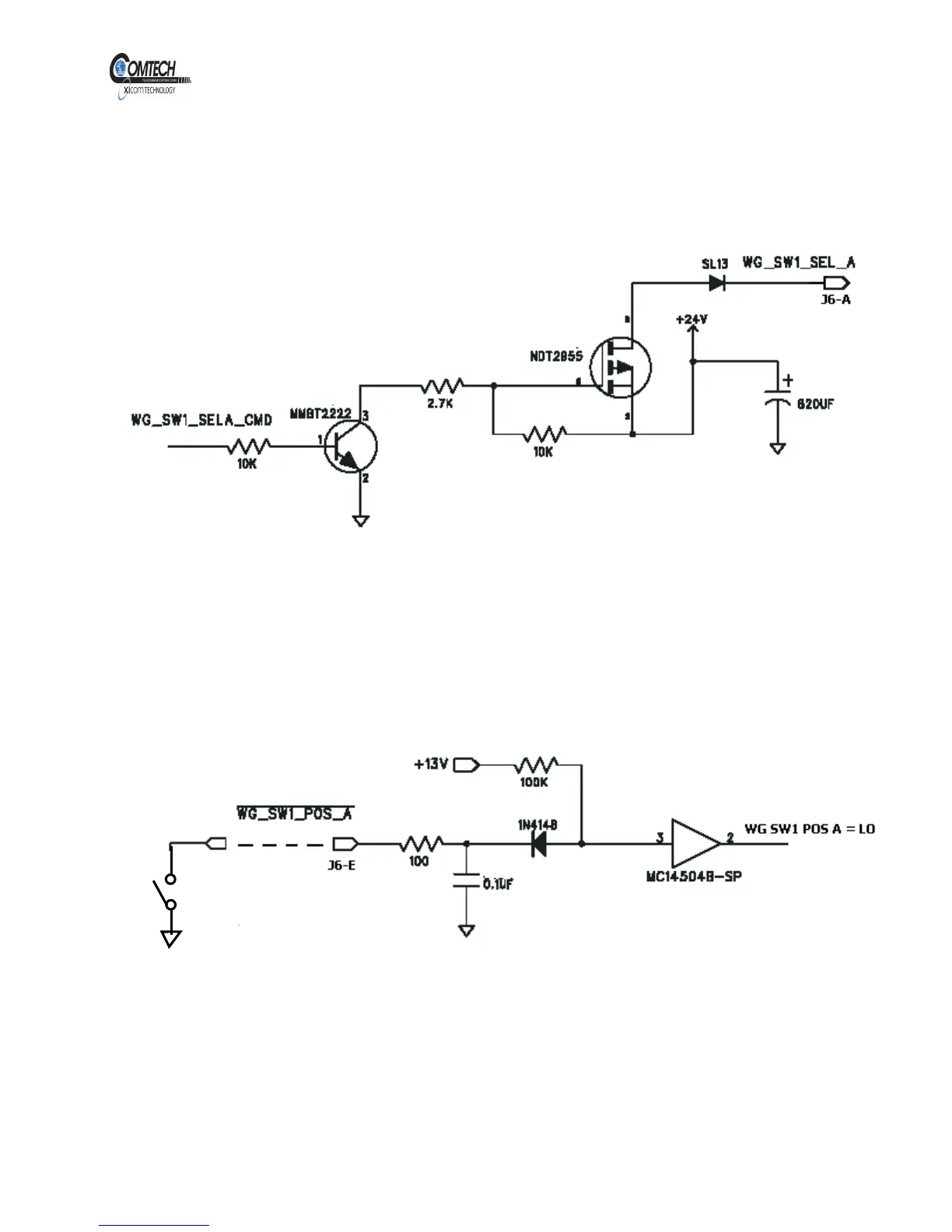
Refer to Figure 10. The WG Switches Position can be selected via serial
interface. When a WG switch position is selected, a +24 V will be sent to
the WG Switch to initiate the switch rotation.
Figure 10, WG SW1 Position A Select Command
WG Switches Position Indicate
Refer to Figure 11. The WG Switch position input provides a pull up
resistor of 100K to + 13V. Each WG Switch has two position indicators A
and B. An input Low is required for each position.
Figure 11, WG SW1 Position A Indicate Input
EAR EXPORT CONTROLLED: The information contained in this Manual refers or relates to a product that is subject
to the U.S. Export Administration Regulations (EAR). Transfer of data herein by any means to a Foreign Person,
whether in the U.S. or abroad, may require an export license from the U.S. Department of Commerce.



 To Next Page