MNC-0000-041 23 of 34 Revision A
Operation Addendum, HPA Control Utility
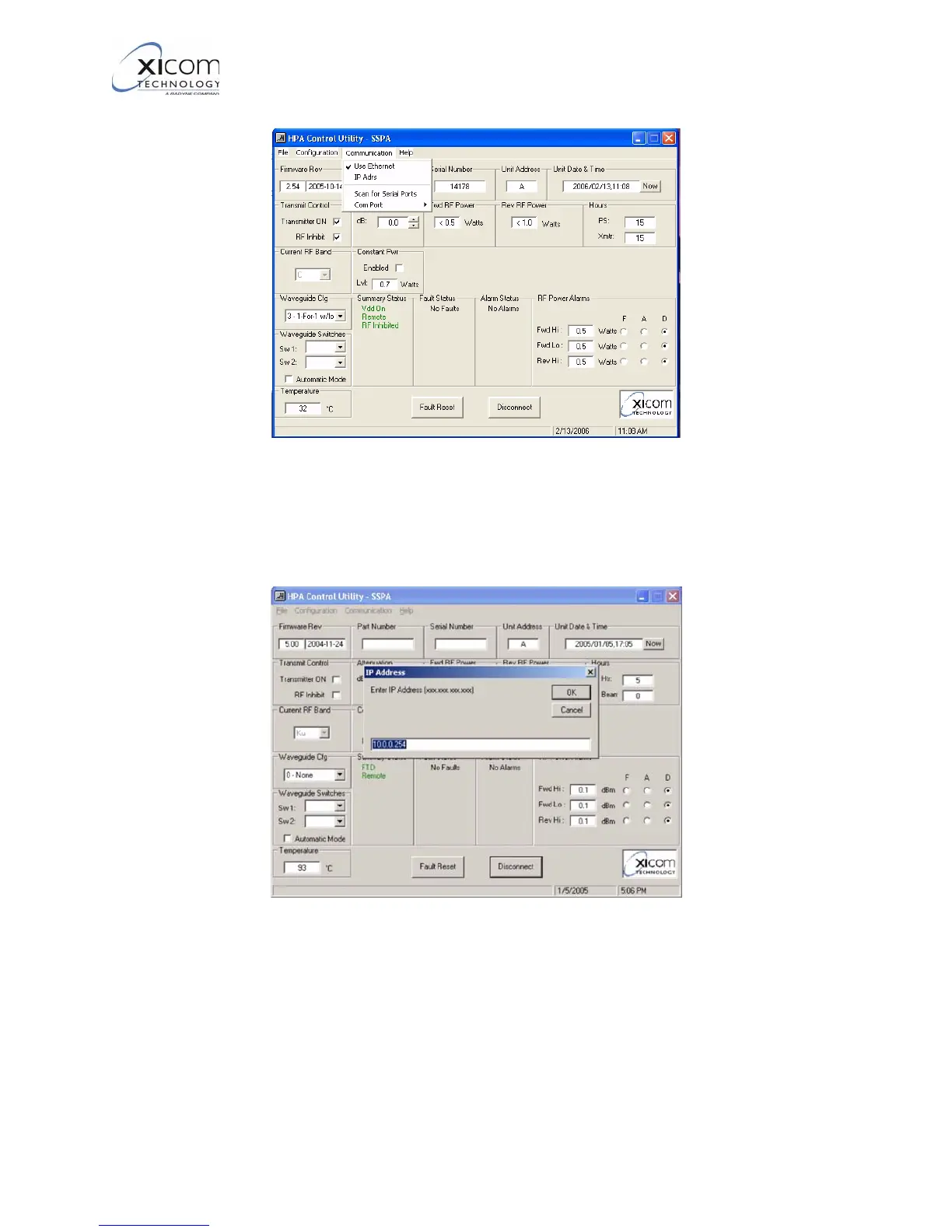
Figure 26, Communications Menu
13. Refer to Figure 27. The “IP Adrs” menu allows you to tell the HPA
Control program the IP address of the amplifier that you wish to
communicate with.
Figure 27, Set Ethernet IP Address
14. The “Scan for Serial Ports” option (Figure 26) allows you to scan
the M&C PC for available RS232 communication ports.
15. Refer to Figure 28. The “COM Port” option on the
Communications menu allows you to set the Baud Rate, number
of Data Bits, Parity and number of Stop bits used on the PC side
of the connection.
EAR EXPORT CONTROLLED: The information contained in this Manual refers or relates to a product that is subject
to the U.S. Export Administration Regulations (EAR). Transfer of data herein by any means to a Foreign Person,
whether in the U.S. or abroad, may require an export license from the U.S. Department of Commerce.



 To Next Page