EasyManua.ls Logo

Conceptronic C8CHCCTVKIT - Page 32

Conceptronic C8CHCCTVKIT
55 pages
Print Icon
To Next Page IconTo Next Page
To Previous Page IconTo Previous Page
Loading...
31
will be program icons after finishing installing.
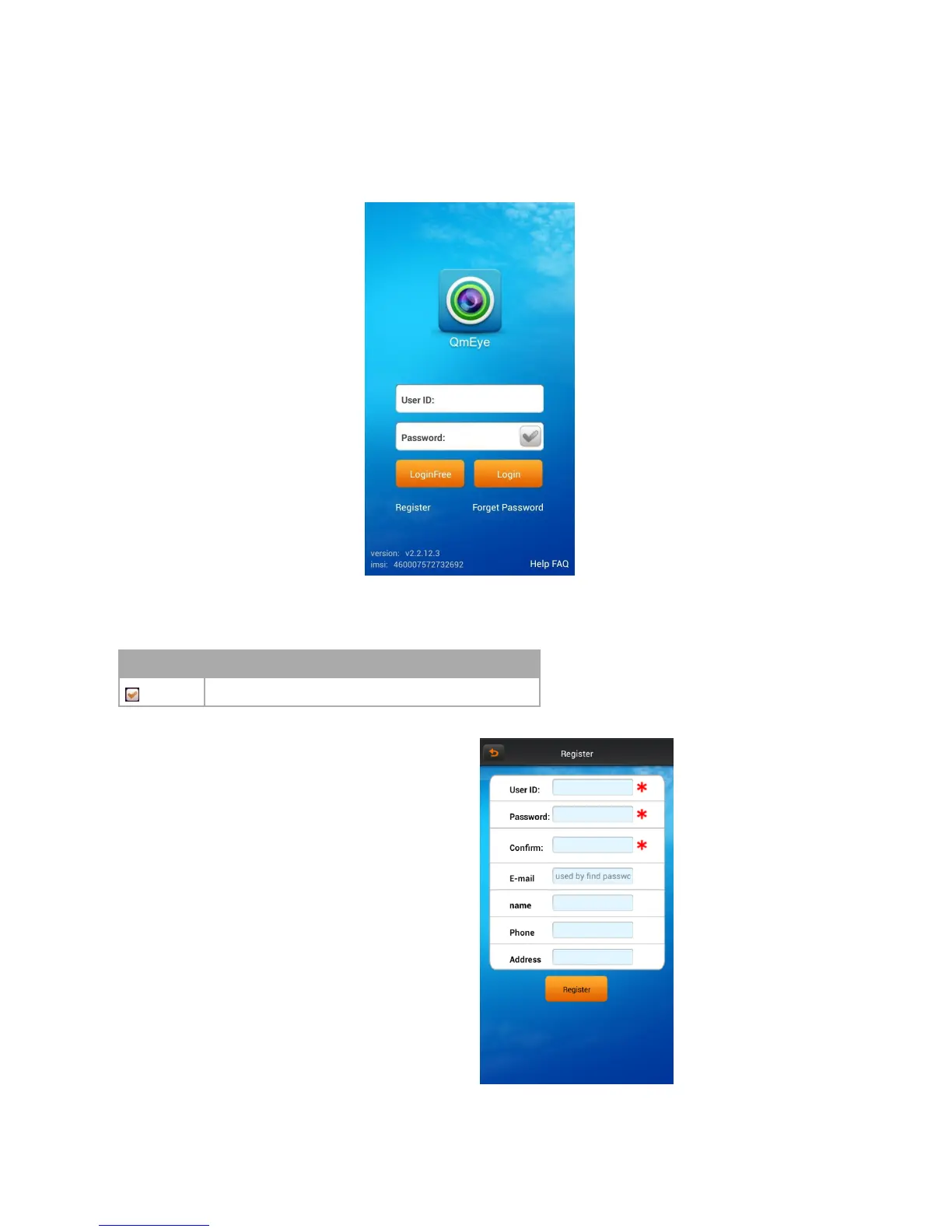
6.1.3 Login interface
6.1.3.1 Login interface
Open the software into the login interface, inputting the username and password and click button “login”, then it will be login the application.
Icon description
icon
Function description
After select, it will go directly to the main menu when you log in again.
6.1.3.2 User register
Click the button “register” on the login menu, then will jump to the register interface.
Enter the register information, click “register” then will be registered.
Note: please enter the valid E-mail address in order to retrieve your password when you lost it.

Related product manuals