47
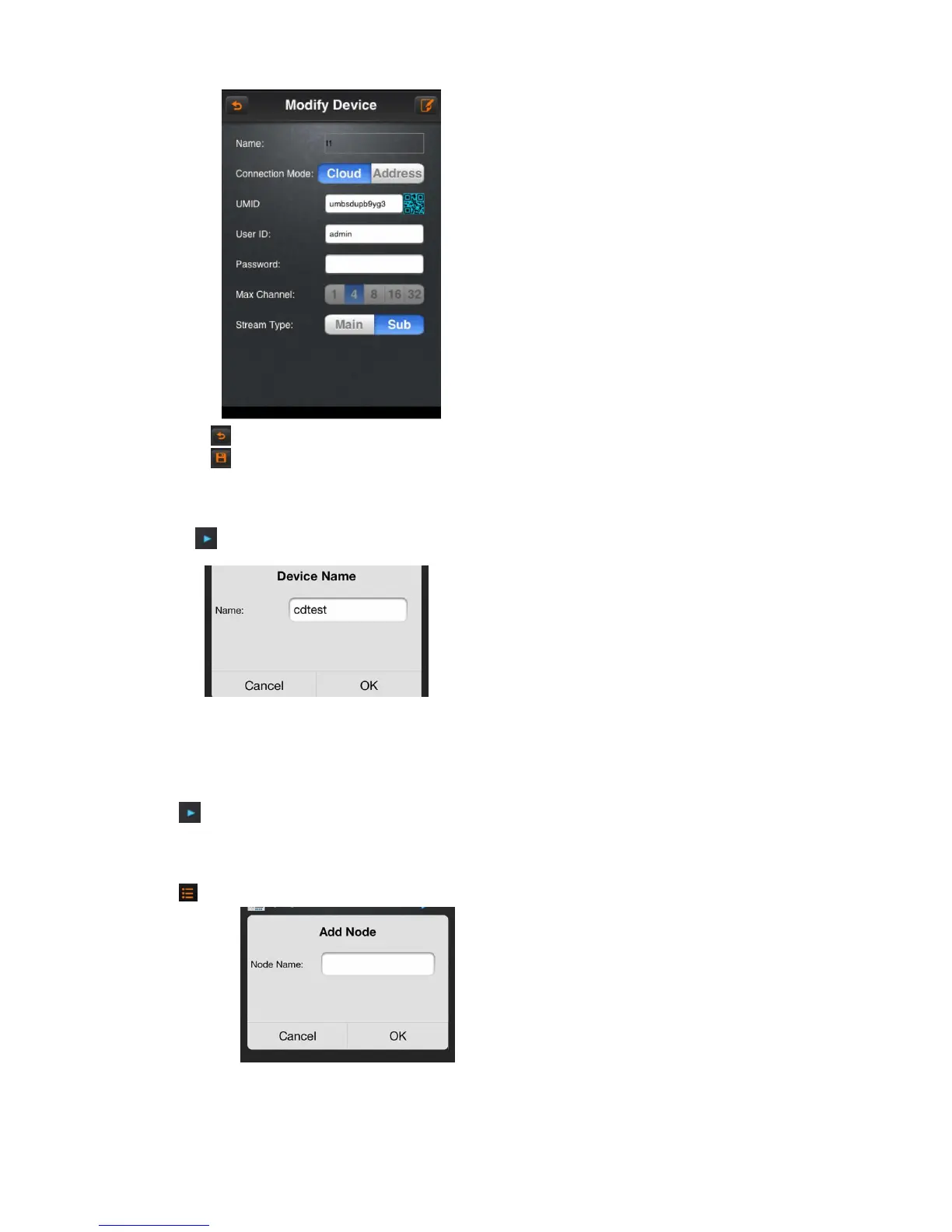
A)Click on the icon , return to the device management lists.
B)Click on the icon , save the current configuration.
6.2.5.2 Modify the name
Click on the icon , select the option “modify the name”, then pops up “modify name” or “modify the catalogue” dialog box.
A)Click “OK” button to save the current configuration.
B)Click “cancel” button to cancel the modifying.
6.2.5.3 Delete
Click on icon , select “delete’ button to delete the current device directly
6.2.5.4 Add the catalogue
Click on icon , select “add the catalogue” option, then pops up “add the catalogue” dialog box
A)Click “OK” button, it will be saved the current configuration. Then will be showed in the device management list.
B)Click button “Cancel” to cancel to add the catalogue.



 To Next Page